Website · CMS · CRM
Emergency Plumber Website + CMS + CRM
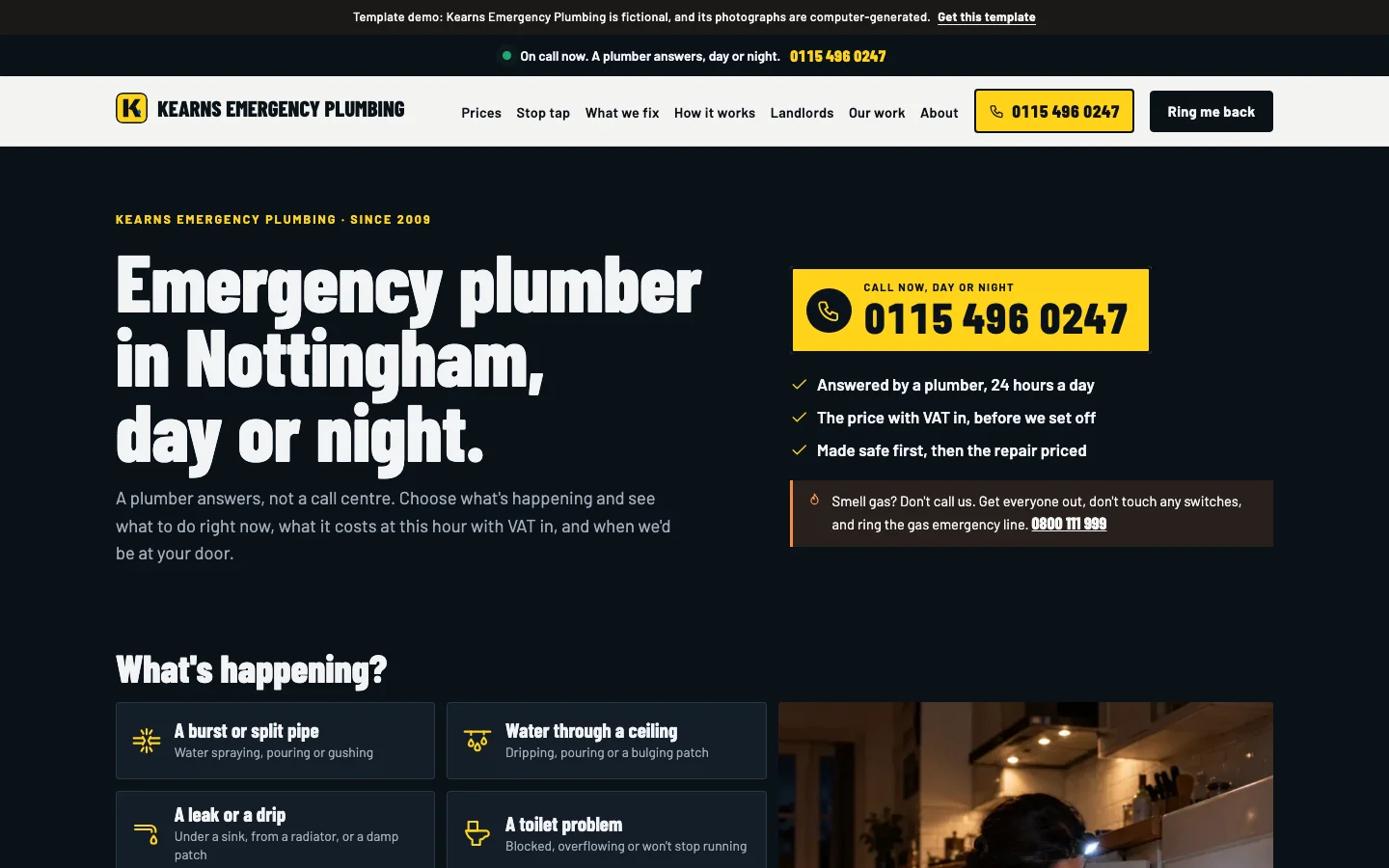
A complete digital system for emergency plumbers: a site that tells a caller what to do in the next ninety seconds, what a call-out costs at this hour and when you'll be at their door, a CMS to run it yourself, and a CRM where every callback waits with the problem and the postcode.
One-off, installed on your own Vercel account, and nothing to pay until it's working. Or let us run it for you from £99/month.
At a glance
- Built for
- Emergency plumbers
- What you get
- A website (sixteen kinds of page), your own CMS to change it, and a CRM for every enquiry
- DIY kit
- £449 one-off, installed on your own Vercel account; you pay once it's working
- Managed
- From £99/month, built with your content and looked after; £0 upfront build fee
- Try it
- The live demo, a fictional business running the system
- Updated
More than a website
The site that answers the panic, the CMS you run it from, the CRM every callback waits in.
Your website
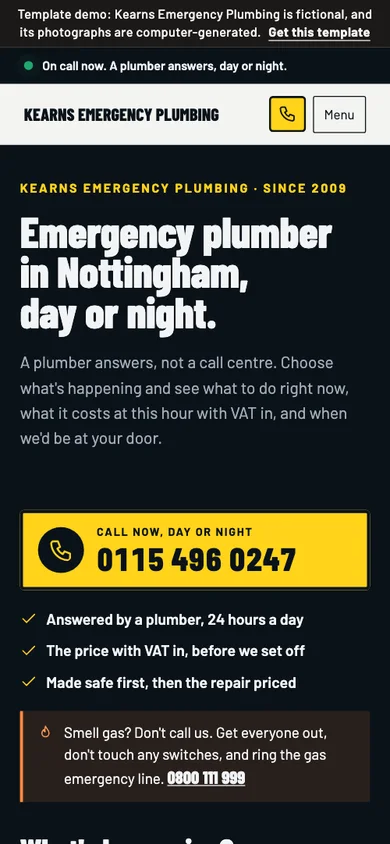
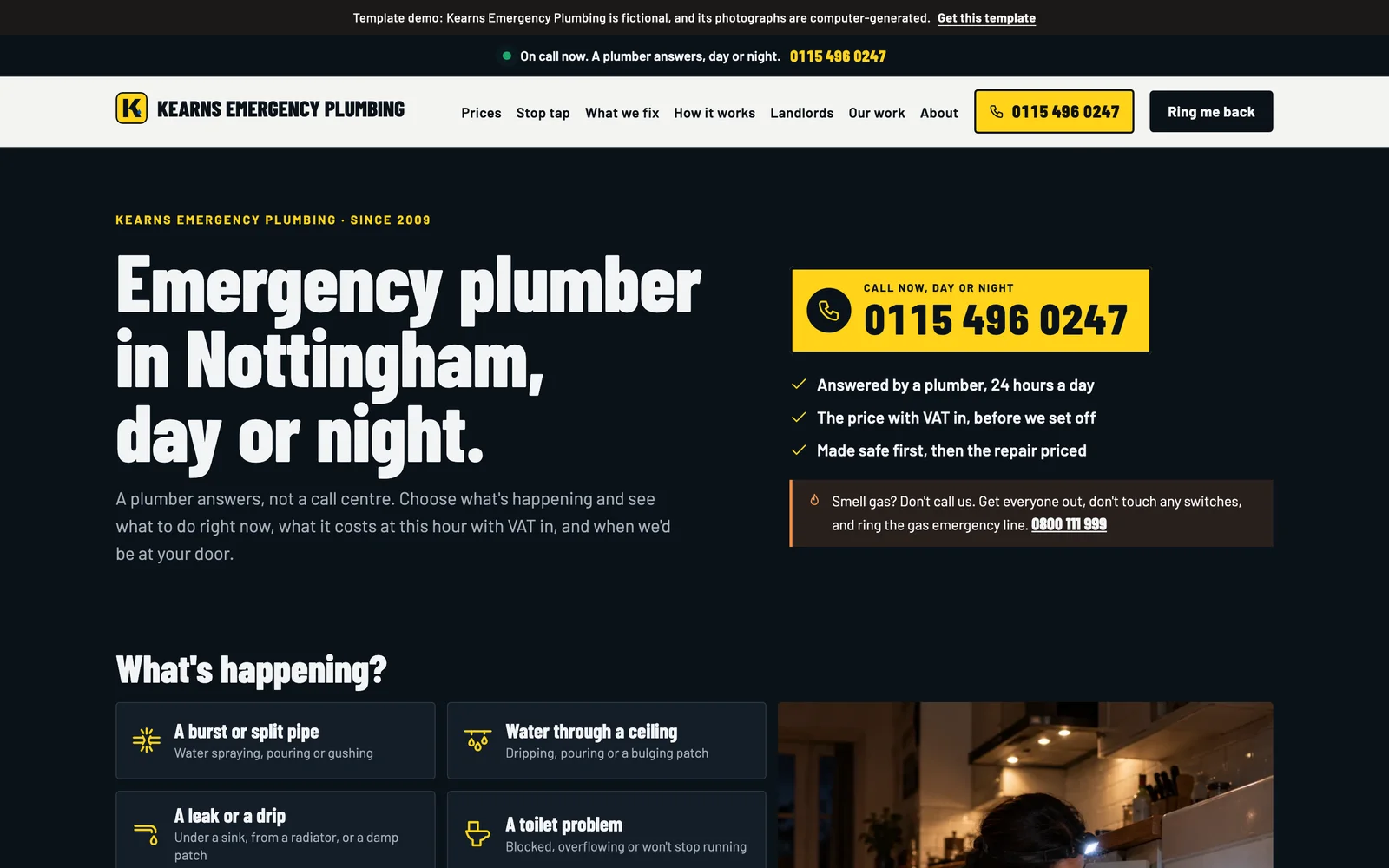
Sixteen kinds of page, opening with 'What's happening?', with a page for every service, call-out and town you add.
Your CMS
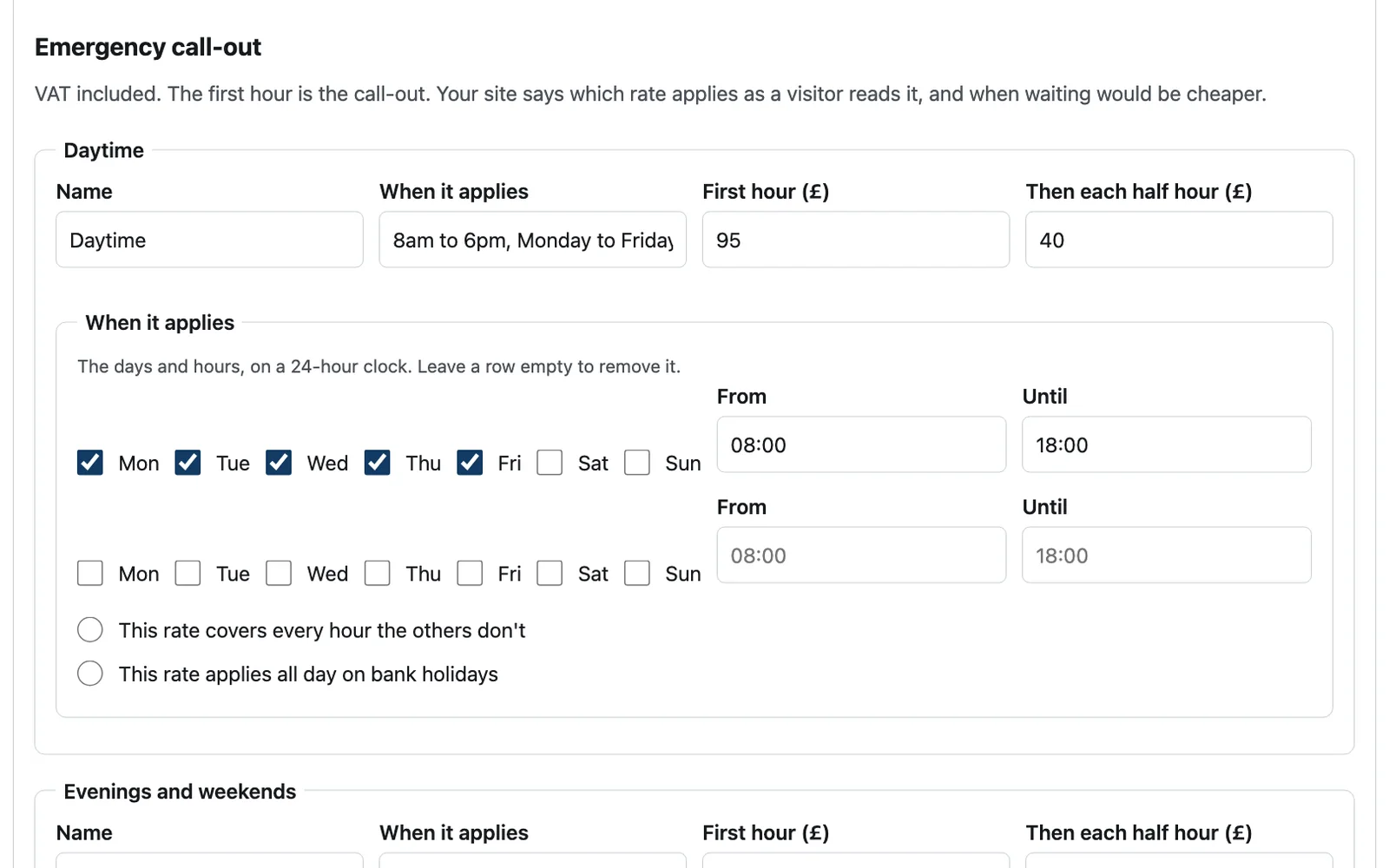
Every word and photo, your rates and when each applies, your bank holidays, what your common call-outs come to and how urgent each problem is.
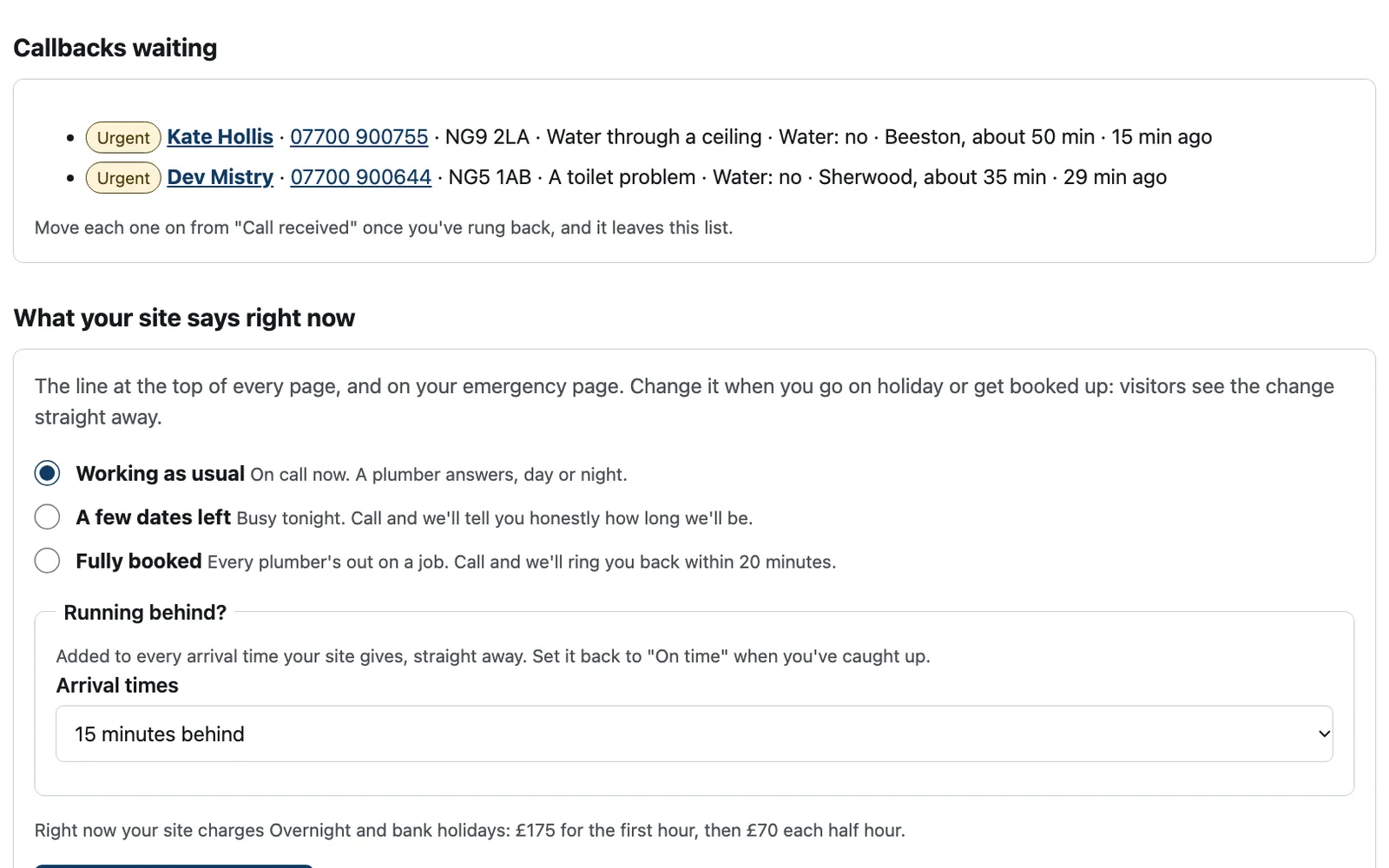
Your CRM
Every callback with what's happening, whether the water's off and how soon you'd be there, then each step of the call-out.
Manage your entire website
Change anything, then press Publish.
- Every word on every page, any section switched off or back on, and every earlier version kept
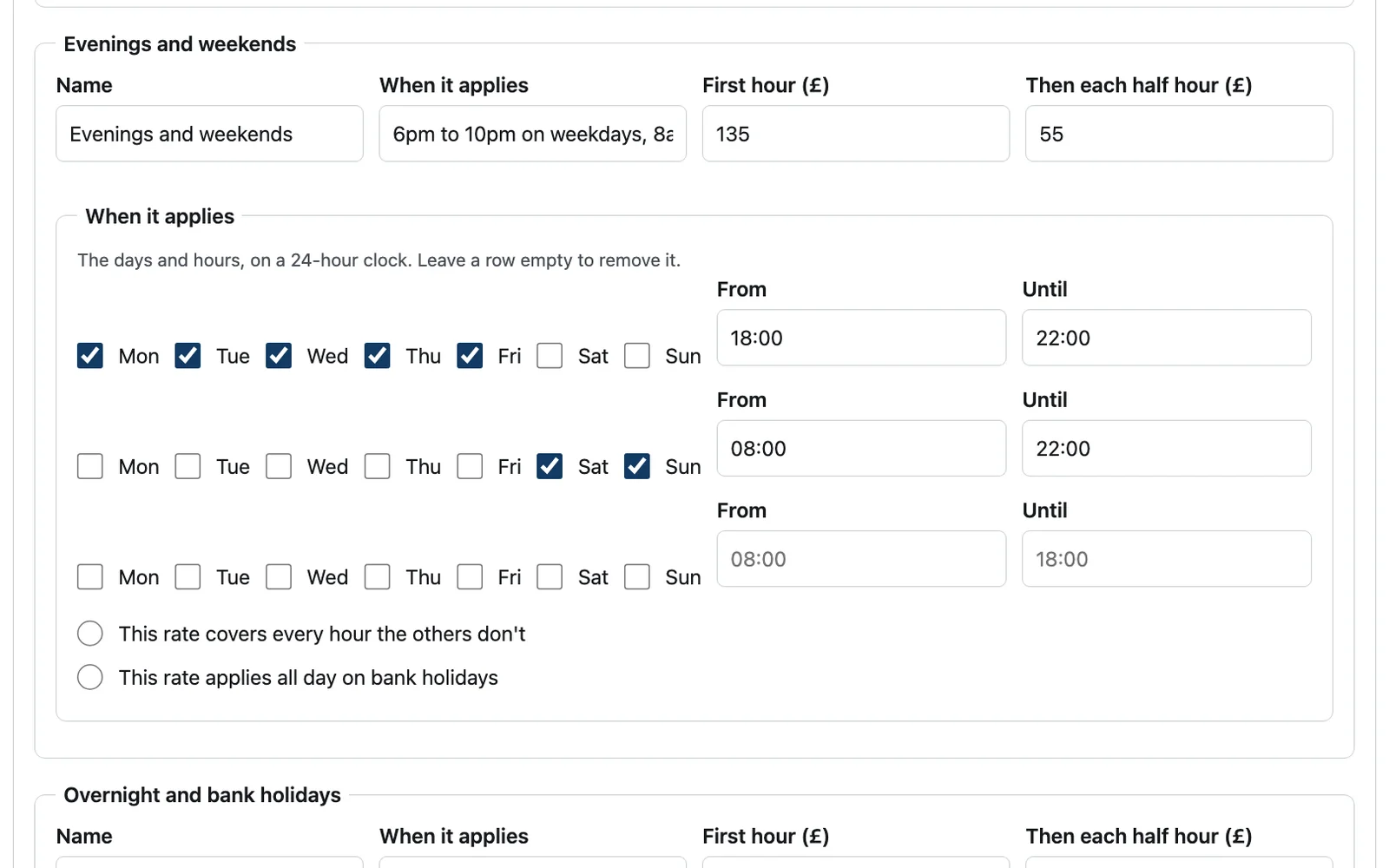
- Your rates, VAT included, and the days and hours each applies, with overlaps refused before they save
- Your bank holidays, charged at the rate you choose
- What your common call-outs take and their parts: the site prices each at every rate
- How urgent each problem is, which decides whether the site offers the cheaper daytime price
- Your towns, their postcodes and their travel times, and the minutes from a call to setting off
- Your status and 'running behind', live at once on every page and every arrival time
Built-in CRM
Every callback arrives ready to ring.
- A callback needs only a name, a phone number and a postcode: nobody standing in water types an email
- What's happening, whether the water's off and whose home it is, at the top of your dashboard
- How long they've waited, and how soon their postcode is reached, with the number to tap
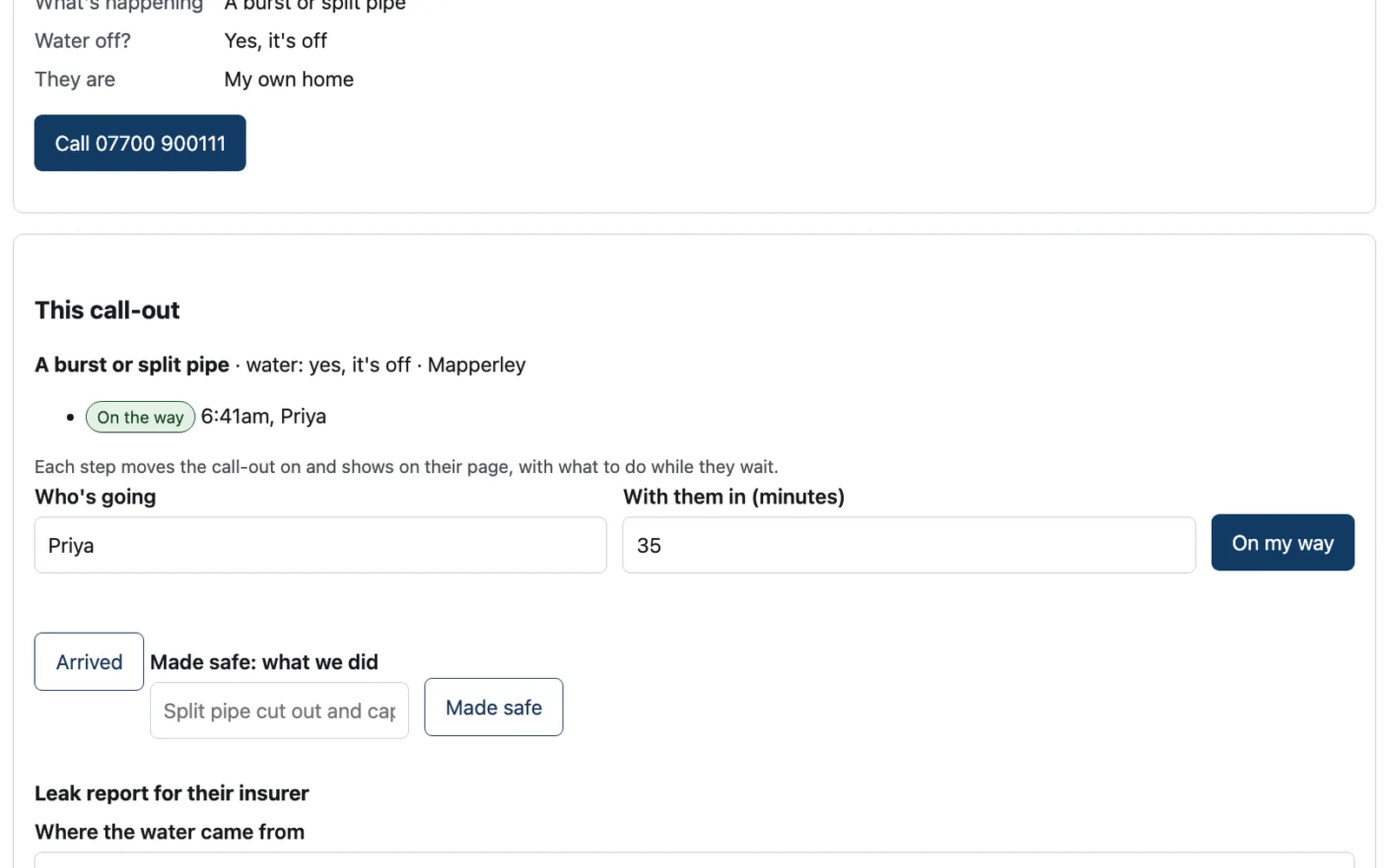
- On my way, arrived and made safe, each shown on the customer's page as it happens
- The repair priced on their phone and accepted in their own name before you start
- A leak report for their insurer, written from the record with the times and the photos
- Stages in a plumber's own words: call taken, on the way, with you, made safe, repair priced, done
From the panic to the invoice
One connected journey: nothing asked twice.
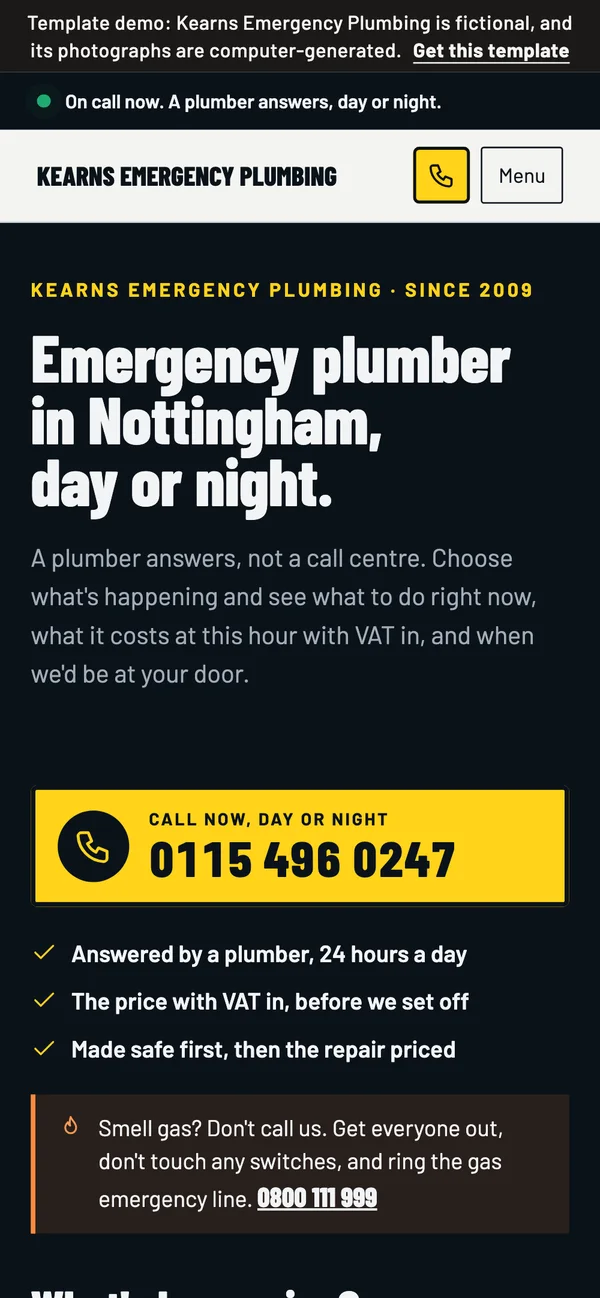
1Finds you
The number first, then 'What's happening?' as big buttons a wet thumb can hit.
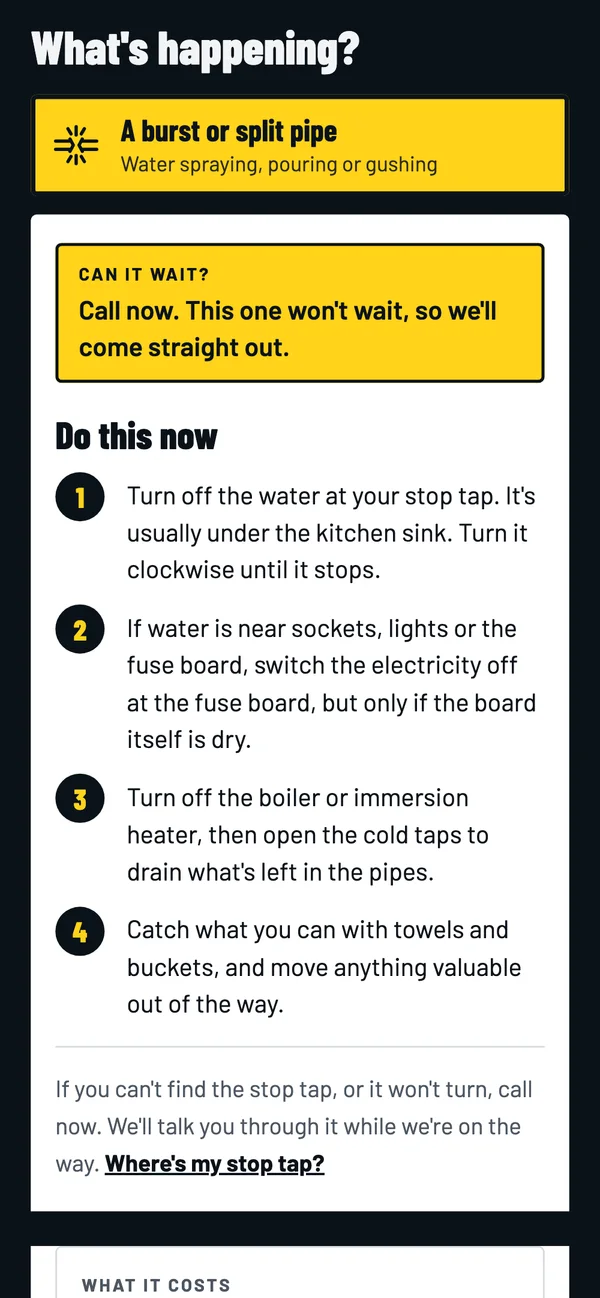
2Knows what to do
The steps for their problem, whether it can wait, what it costs at this hour and when you'd be there.
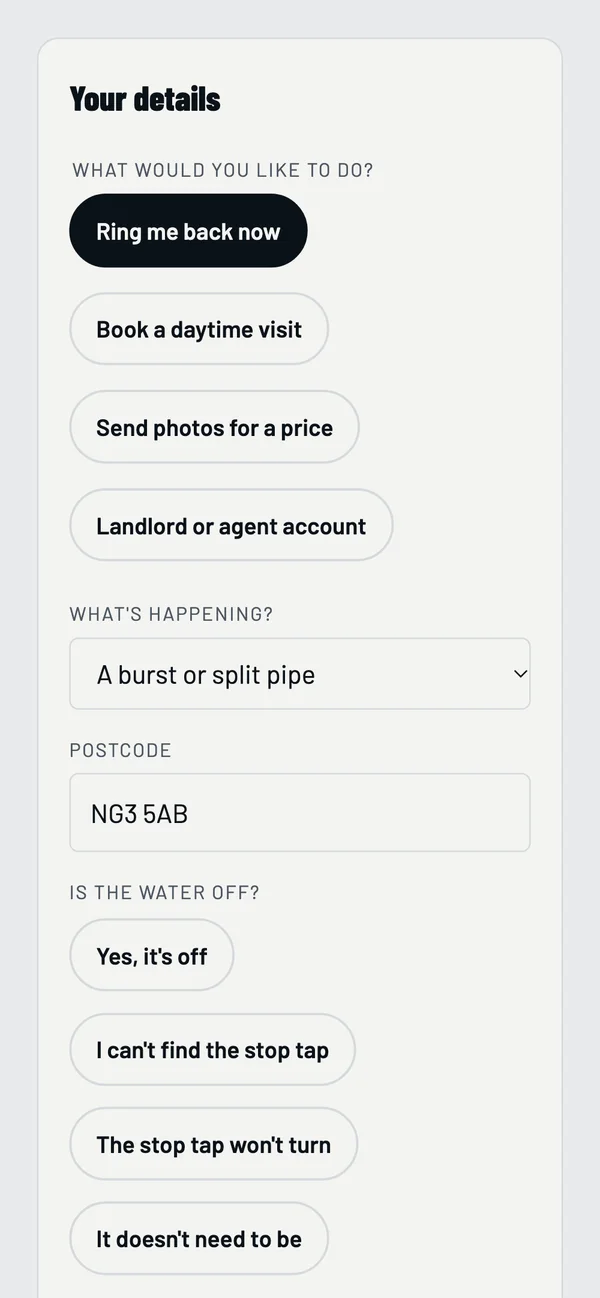
3Calls or asks for a callback
Straight from the answer, with the problem and their postcode carried through.
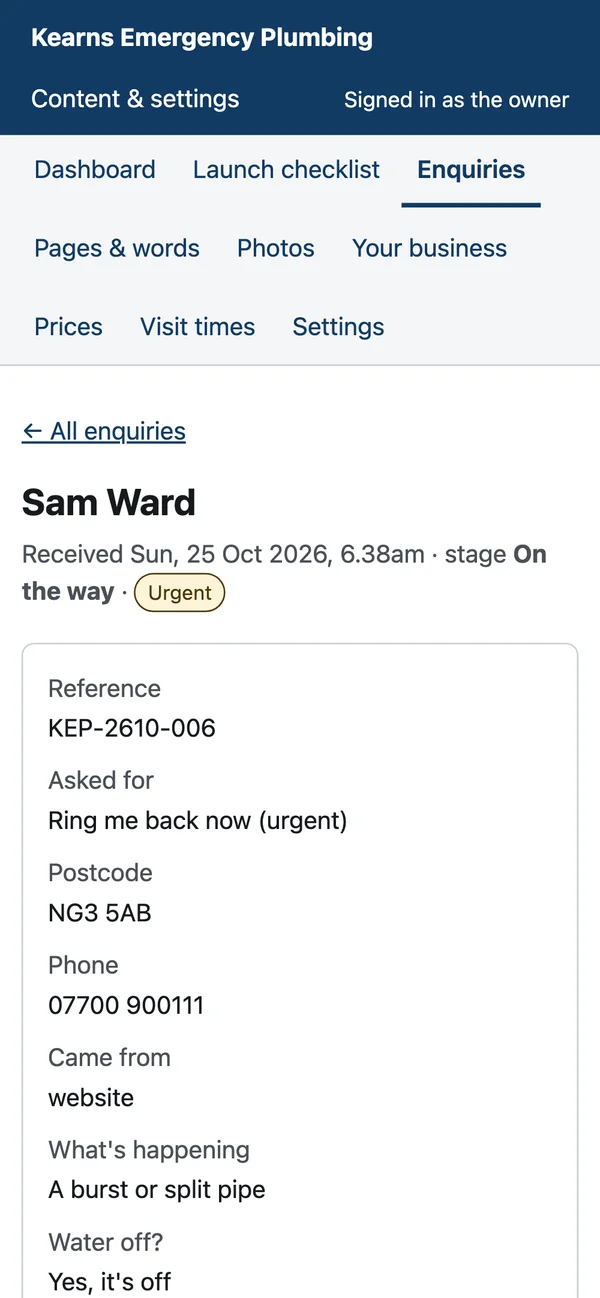
4Waits at the top of your CRM
Marked urgent, with what's happening, whether the water's off and their number to tap.
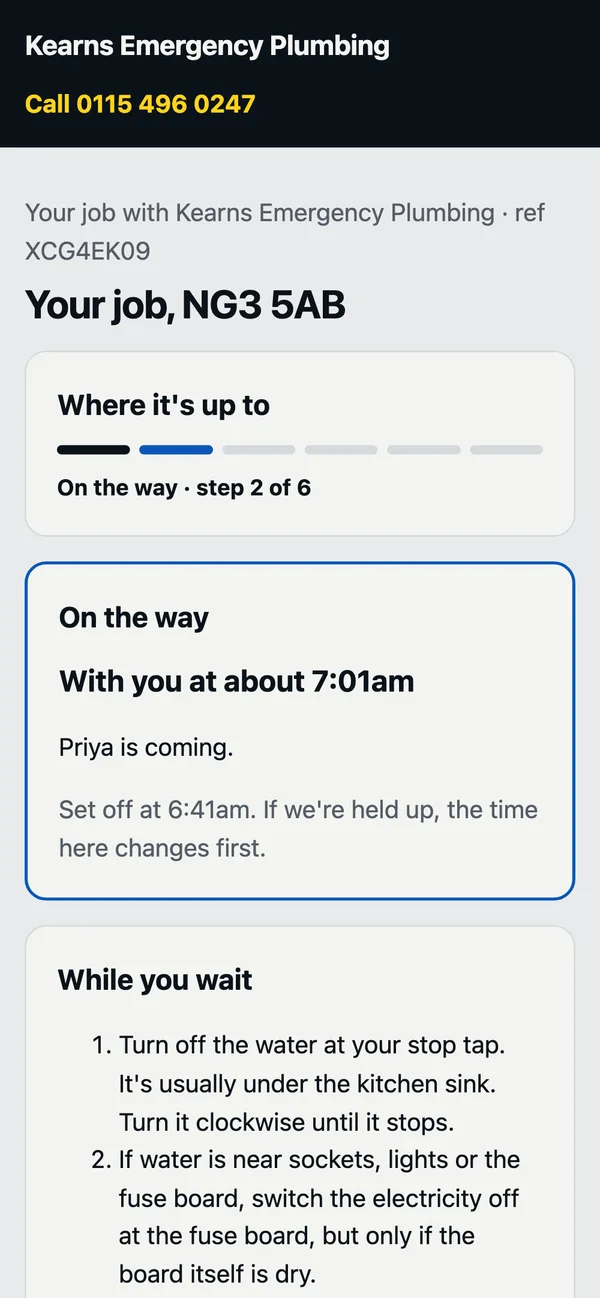
5Watches you arrive
Their own page: who's coming and when, the repair to accept, and the leak report.
The router
What to do, what it costs and when you'll be there
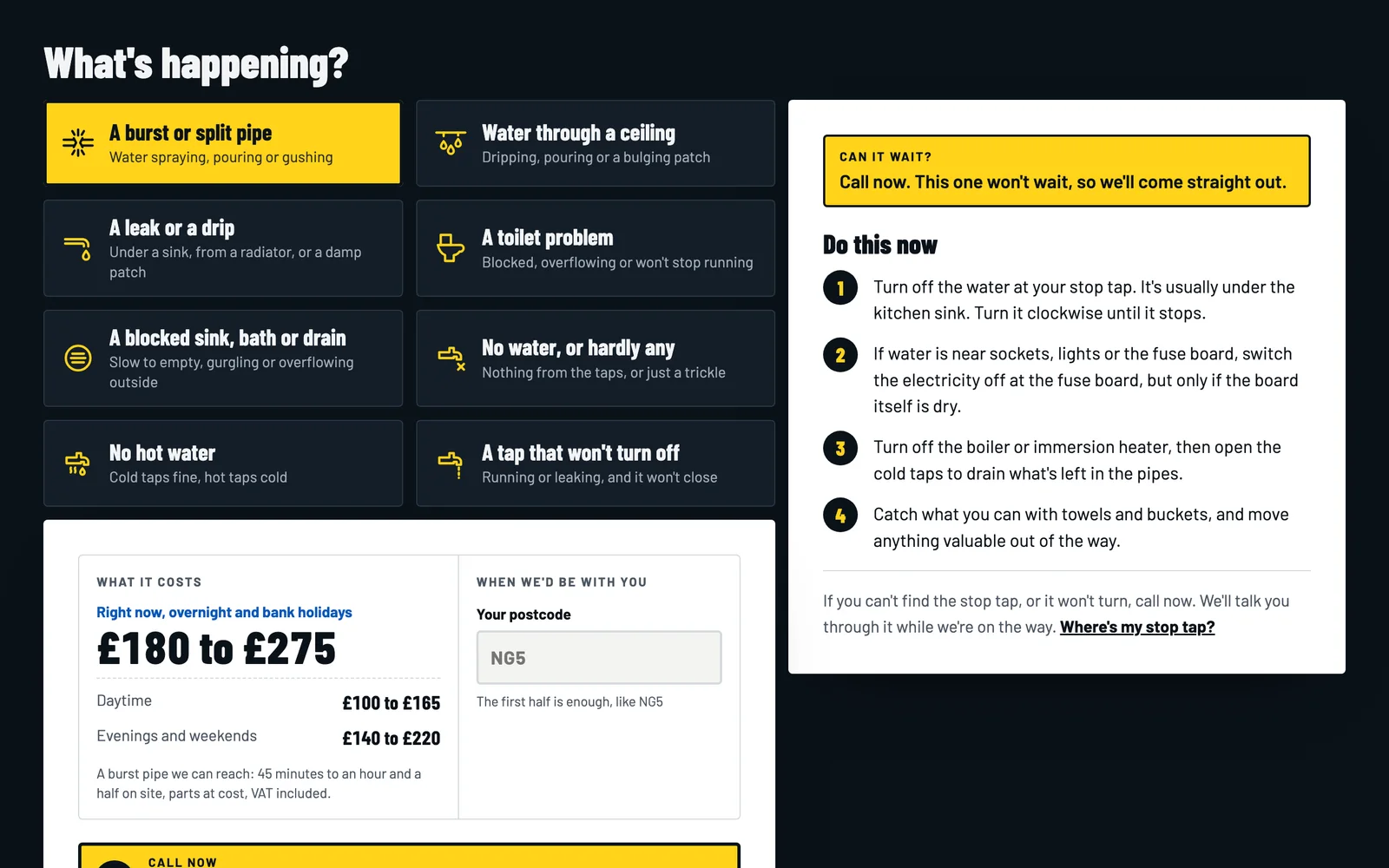
Eight problems a caller recognises. Choosing one gives the steps you'd tell them on the phone, whether it can wait, what it costs at this hour from your own rates with VAT in, the cheaper daytime price and from when, and how soon you'd be at their postcode. It works before any script runs, and the gas line is always there.
Live rates
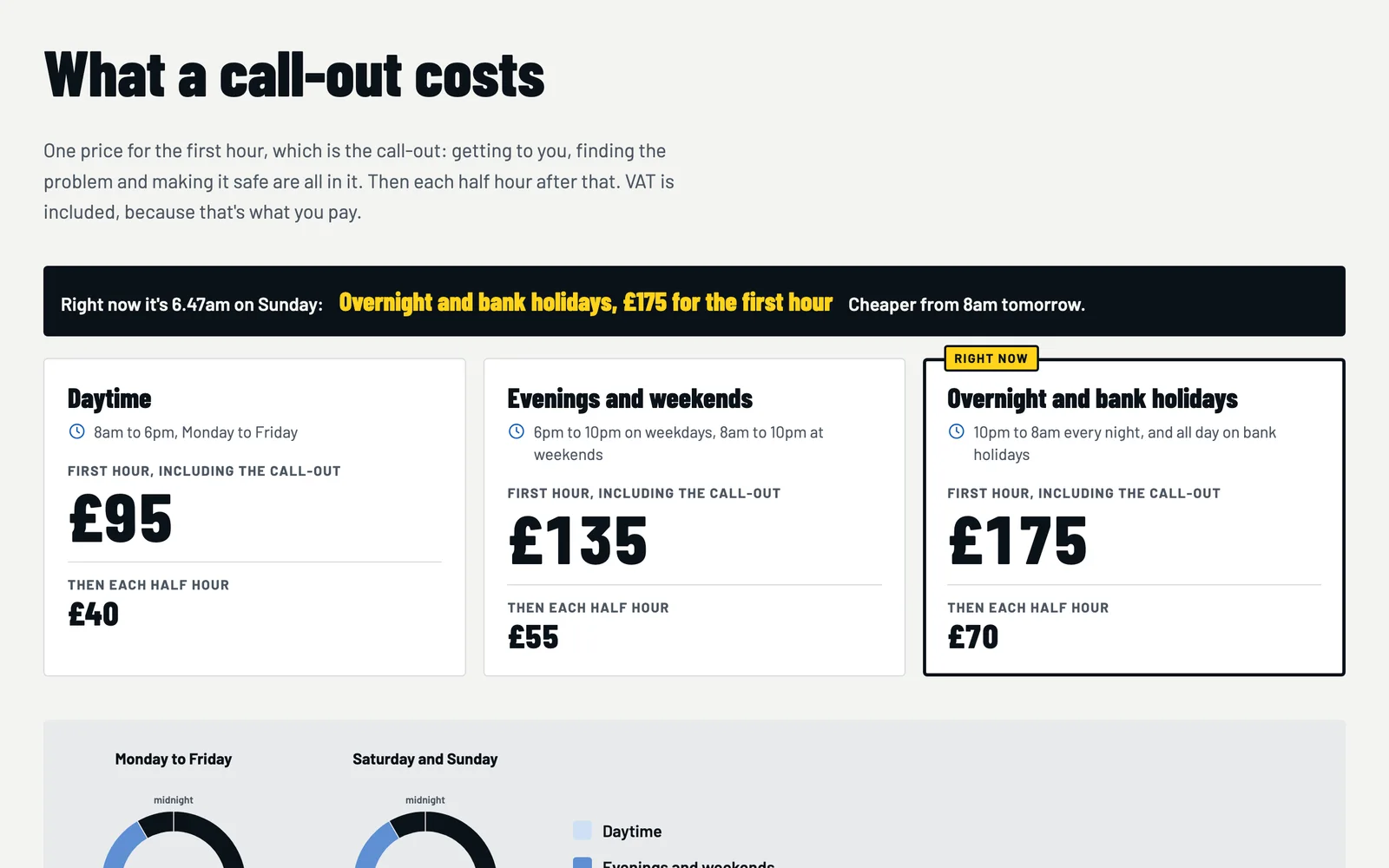
The rate that applies right now, marked
Each rate with its hours, the first hour and each half hour after it, VAT included. The one that applies as the visitor reads it is lit, with when it gets cheaper, and the week is drawn as two clocks: weekdays and weekends.
Common call-outs
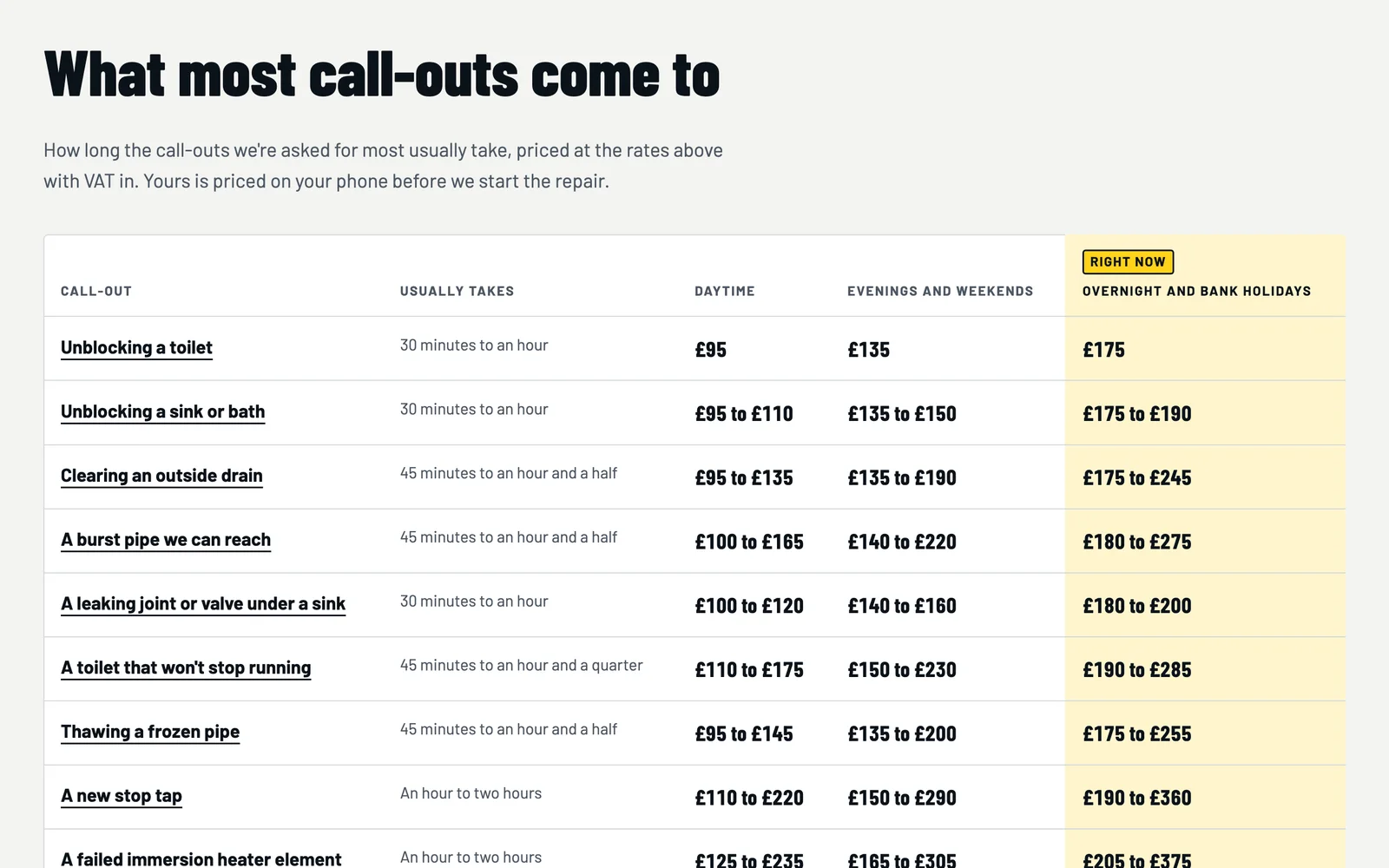
What most call-outs come to, at every rate
Unblocking a toilet, a burst pipe you can reach, a new stop tap, a hidden leak: how long each usually takes and what it comes to at each rate, from your times and parts. Change a rate and every price follows.
The stop tap
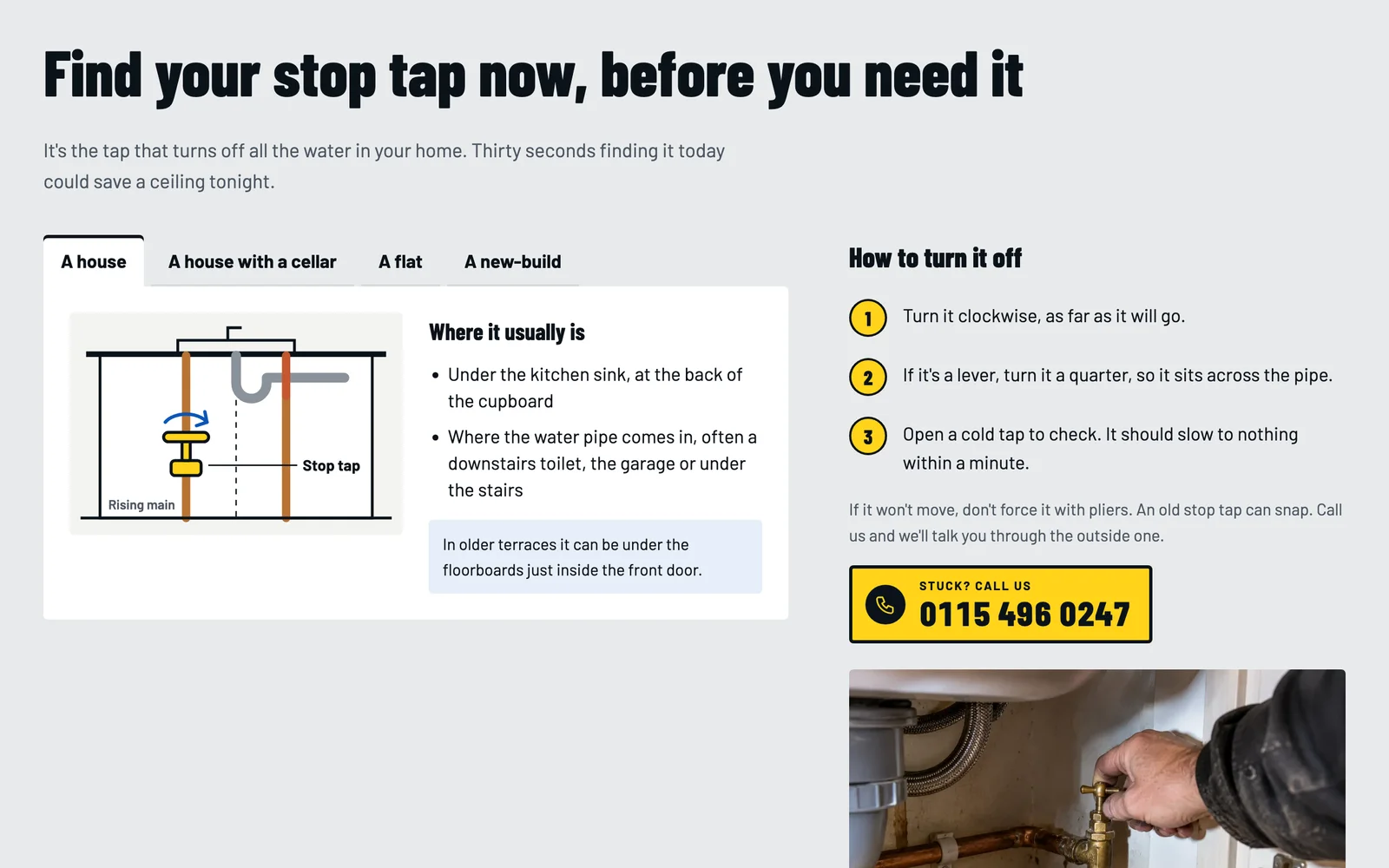
Find the stop tap before the ceiling comes down
Where it usually is in each kind of home, drawn, how to turn it, what to do if it won't move, the stop tap outside, and whose pipe a leak is on, with the water company's leak line.
Their own page
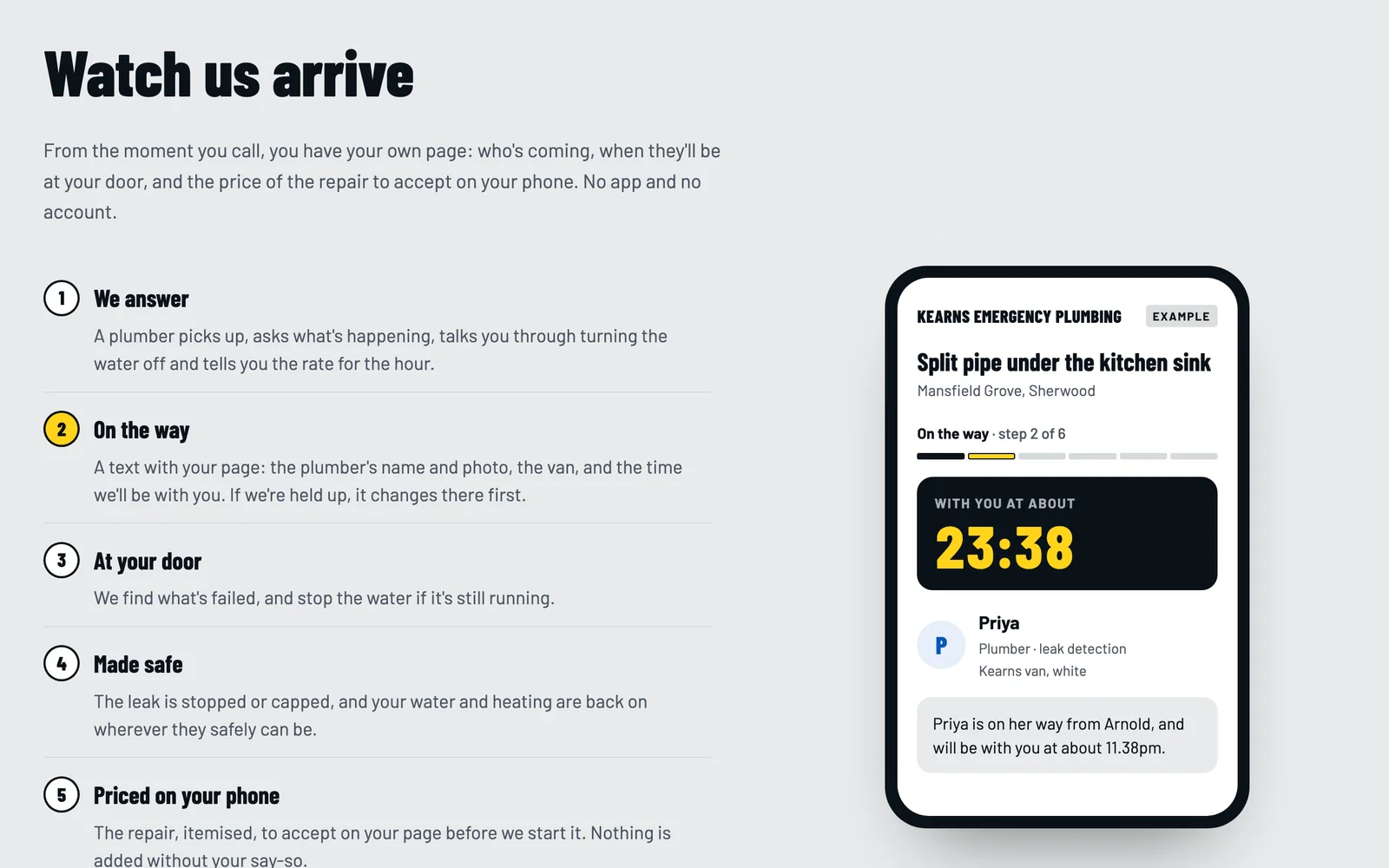
Watch the plumber arrive
You press On my way and their page shows who's coming, with their photo, and when; If you're held up, it changes there first. Then arrived, made safe, the repair to accept on their phone, the invoice and the photos.
Leak reports
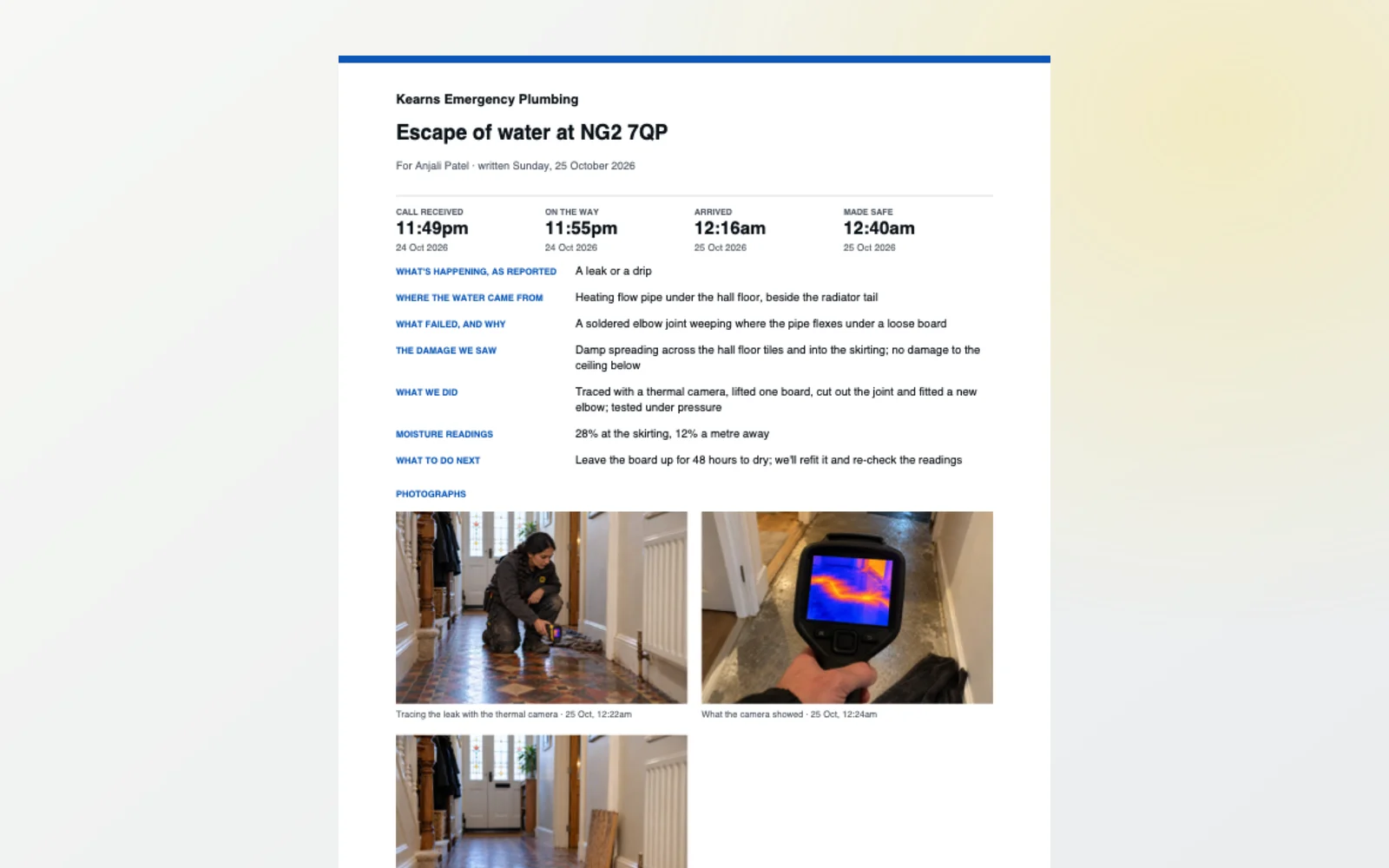
The evidence an insurer asks for
Where the water came from, what failed and why, the damage, what you did and any moisture readings, written as a PDF with the times from the record and your photographs with their dates, and kept on the customer's page.
Landlords and agents
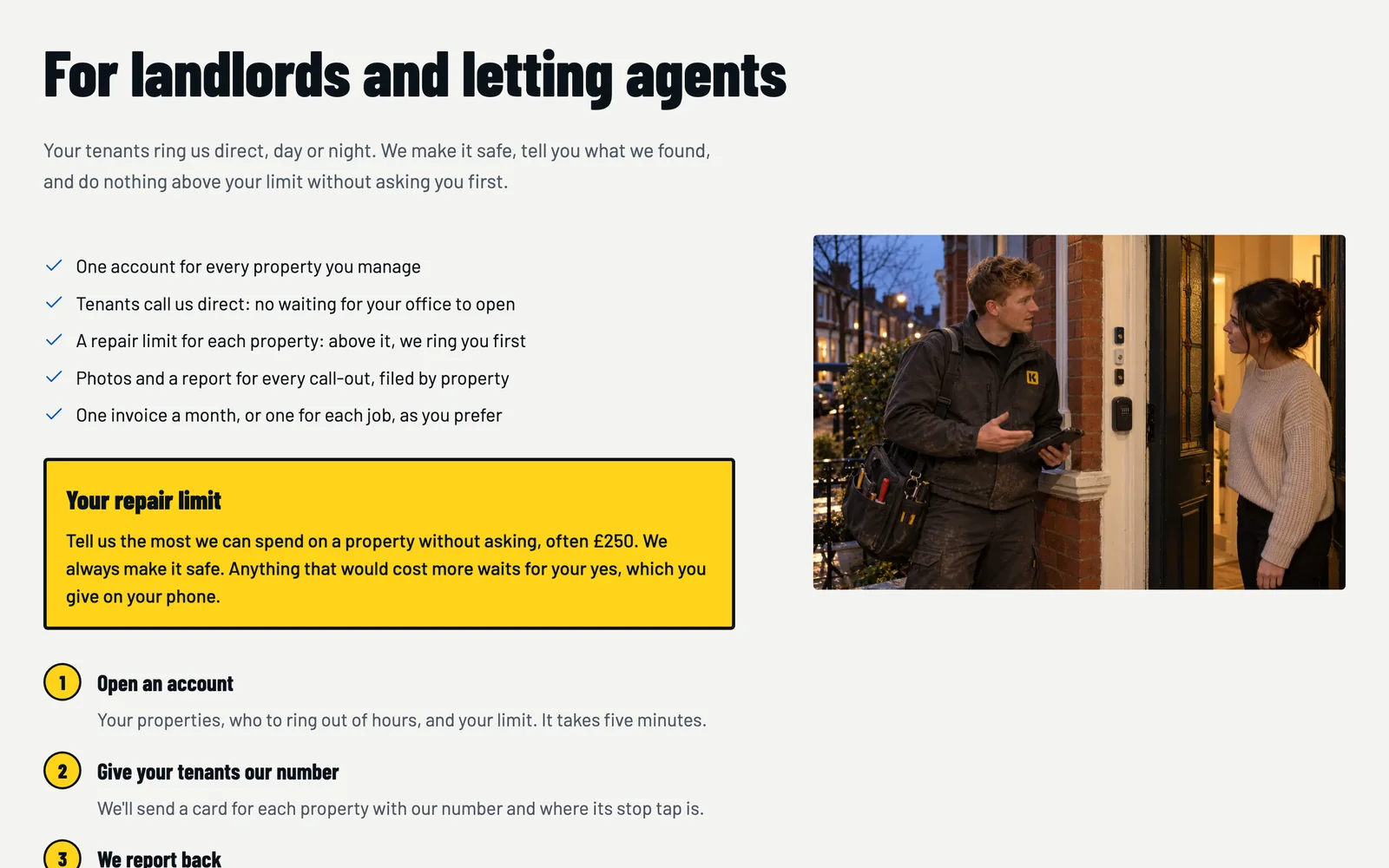
Tenants' emergencies on account
Tenants ring you direct. You make it safe, stay inside the landlord's or agent's limit, and report back with photos for every property. Their account arrives in your CRM with how many properties and their limit.
Sixteen kinds of page
Organised around somebody standing in water.
Home
The router first, then the rates, the stop tap, the common call-outs, how a call-out runs, real call-outs, reviews, services, areas and the leak report.
Prices
Every rate with its hours, the week as two clocks, the bank holidays and every common call-out at every rate.
Stop tap
Where it is by kind of home, how to turn it, the one outside, and whose pipe it is.
What we fix
Burst pipes, leaks and ceilings, toilets, drains, no water, no hot water, taps and valves, each opening on what to do now.
How it works
From the call to the invoice, with the customer's page played through.
Leaks and insurance
What insurers ask for, what trace and access means, and the leak report.
Landlords
Tenants' call-outs on account, with a repair limit and a report for each.
Our work
Your call-outs, each with its times, its photos and what the customer said.
Areas
The towns you cover with their travel times, a page for each, and a postcode check.
About
Your team by name, your registrations with links to check them, and your promises.
Contact
A callback with only a phone number, a daytime visit, photos for a price, or a landlord account.
Privacy and terms
Written from what your site actually does, for you to read and confirm before you launch.
Two ways to have it
Run it yourself, or let us run it for you.
The DIY kit
£449 one-off
The whole system, installed on your own Vercel account with your domain connected. Then it's yours to fill and run.
- The complete website: sixteen kinds of page, with the router, the live rate card, the common call-outs and the stop tap
- Your own CMS: every word and photo, your rates and their hours, bank holidays, common call-outs and the router
- Your own CRM: every callback with the problem and postcode, daytime visits, and each step of a call-out
- A private page for each customer: who's coming and when, the repair to accept, payments, messages and the leak report
- Installed on your own Vercel account, with your domain connected
- A licence for one business, with no monthly fee from us
What we do: install it and connect your domain. What you do: your words, photos, rates and towns.
Order the DIY kitNo payment today. You pay once it's installed and working.
Managed
From £99 /month
We build it with your content, host it and look after it. You still get the CMS and CRM, and every improvement we make.
- Built with your words, photographs and prices
- Hosting, security and updates looked after
- £0 upfront build fee on an initial 12-month term, or pay yearly and save 20%
- See it before you pay a penny
How the DIY kit works
Five steps, and you only pay at the fourth.
Order the kit
Tell us about your business. No payment today.
Create your Vercel account
We send you a short guide; it takes a few minutes.
We install it
On your account, with your domain connected. You get your CMS login.
Check it, then pay
Log in, click round, see it working. Then you pay £449.
Make it yours
Add your words, photos, rates and towns, and press Publish.
Questions
Straight answers.
What exactly do I get for £449?
The whole system on your own Vercel account: the website with its router, live rate card, common call-outs and stop tap; your own CMS for every word, photo, rate and town; your own CRM for every callback and each step of a call-out; and a private page for each customer. We install it and connect your domain; you add your content.
When do I pay?
After it's installed and you've logged in and seen it working. Ordering is free, and there's nothing to pay until then.
Do I need to be technical?
No. You'll create a Vercel account (we'll show you how) and have your domain to hand. Everything after that is done in your CMS: typing, uploading photos and pressing Publish.
Where do the prices come from?
Your Prices screen: each rate, VAT included, with the days and hours it applies, your bank holidays, and how long your common call-outs take with their parts. The site works out which rate applies as a visitor reads it, prices each common call-out at every rate, and says when waiting would be cheaper.
How does it know when I'd arrive?
From the travel time you give each town and the minutes it takes you to set off. On a busy night, set 'running behind' on your dashboard and every arrival time adds it at once. On a call-out, On my way puts the real time on the customer's page.
Can a customer really ask for a callback without an email?
Yes. A callback needs only a name, a phone number and a postcode. It arrives marked urgent at the top of your dashboard, with what's happening and whether their water is off.
What's in the leak report?
When they called, when you set off, arrived and made it safe, from the record; where the water came from, what failed, the damage, what you did and any moisture readings; and your photographs with their dates. It's a PDF on the customer's page, for their insurer.
Will my site go live with your sample call-outs and reviews?
No. Anything the template made up, its call-outs, reviews, team and figures, is never shown on your site. A launch checklist in your CMS shows what's left to add, and search engines are asked not to list your site until you press Launch.
Does it have to look like Kearns?
No. Kearns Emergency Plumbing is a fictional firm with computer-generated photographs, made to demonstrate the system. Your site uses your words, photos, rates and towns, and any section you don't need can be switched off.
Can you do it all for me instead?
Yes. The managed plan starts at £99 a month: we build it with your content, host it and look after it, and you still get the CMS and CRM.
Order
Order your plumber kit.
Tell us your business's name and where you work. We'll reply with your Vercel set-up guide and an install date. Nothing to pay until it's installed and working.
Prefer us to do it all? Choose “Managed” in the form. Or look round the live demo first.
More website systems
Also for trades & home services
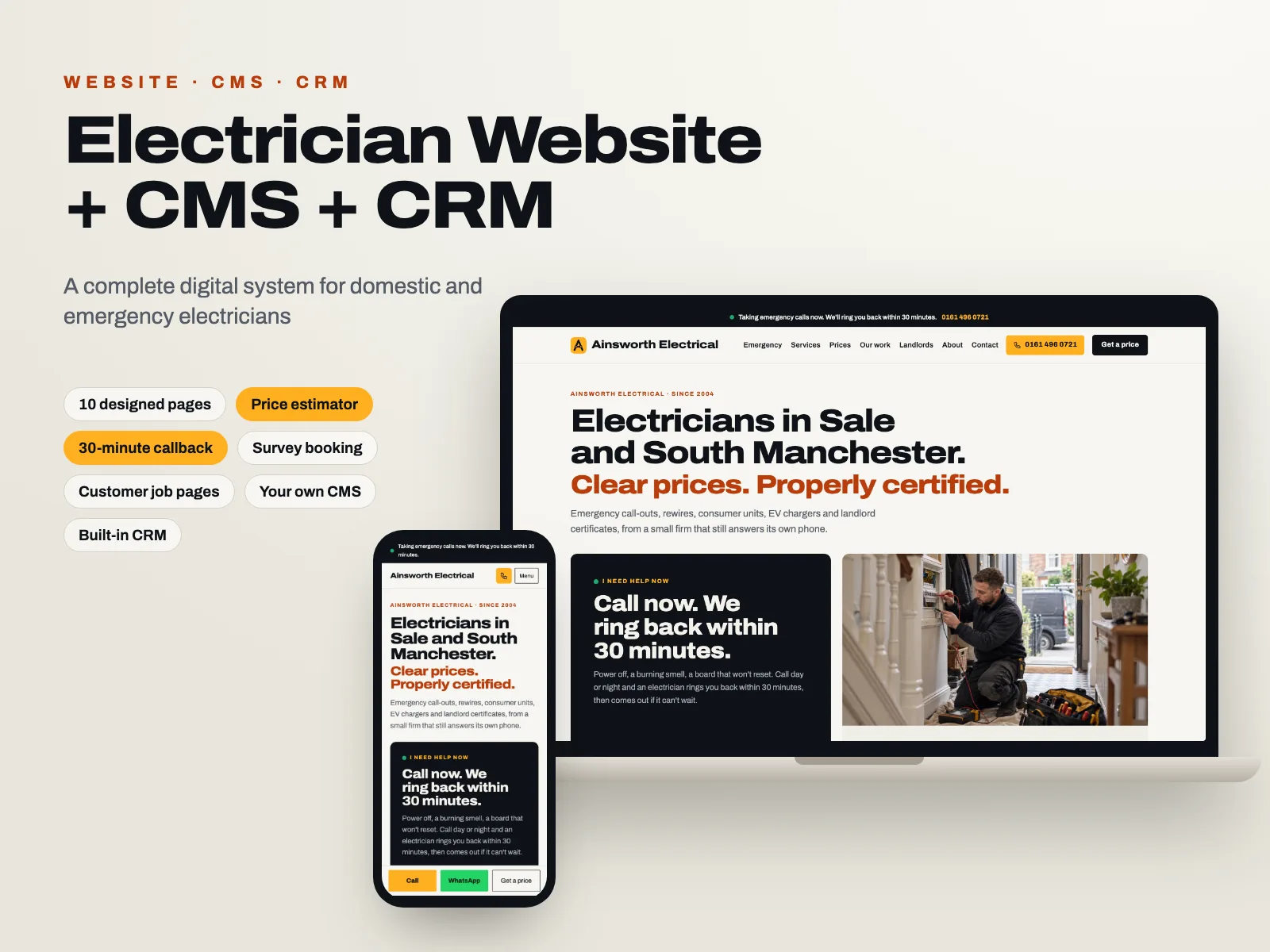 Domestic & Emergency ElectricianWith job tracking & emergency call-outs
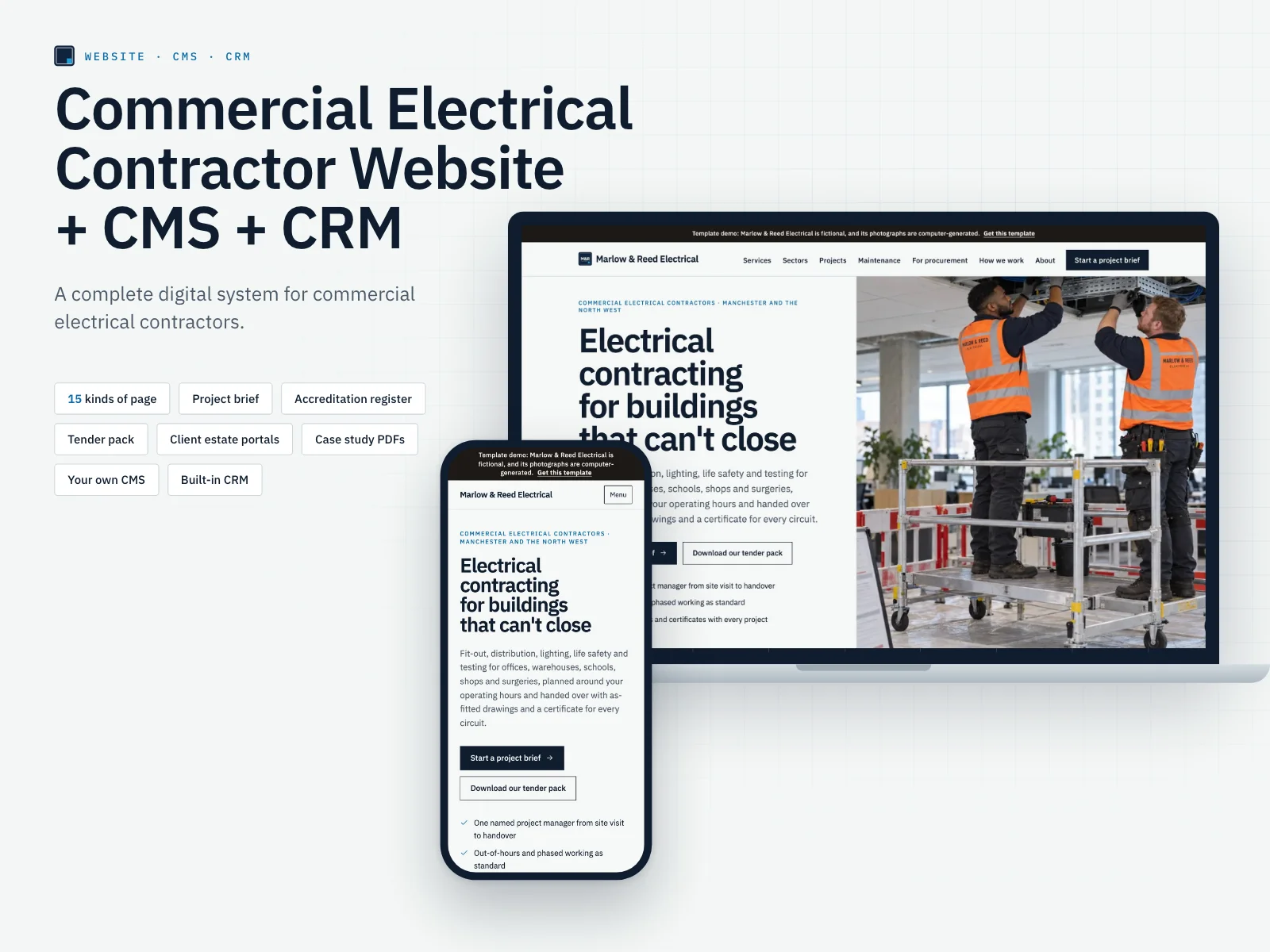 Commercial Electrical ContractorWith project brief & accreditations
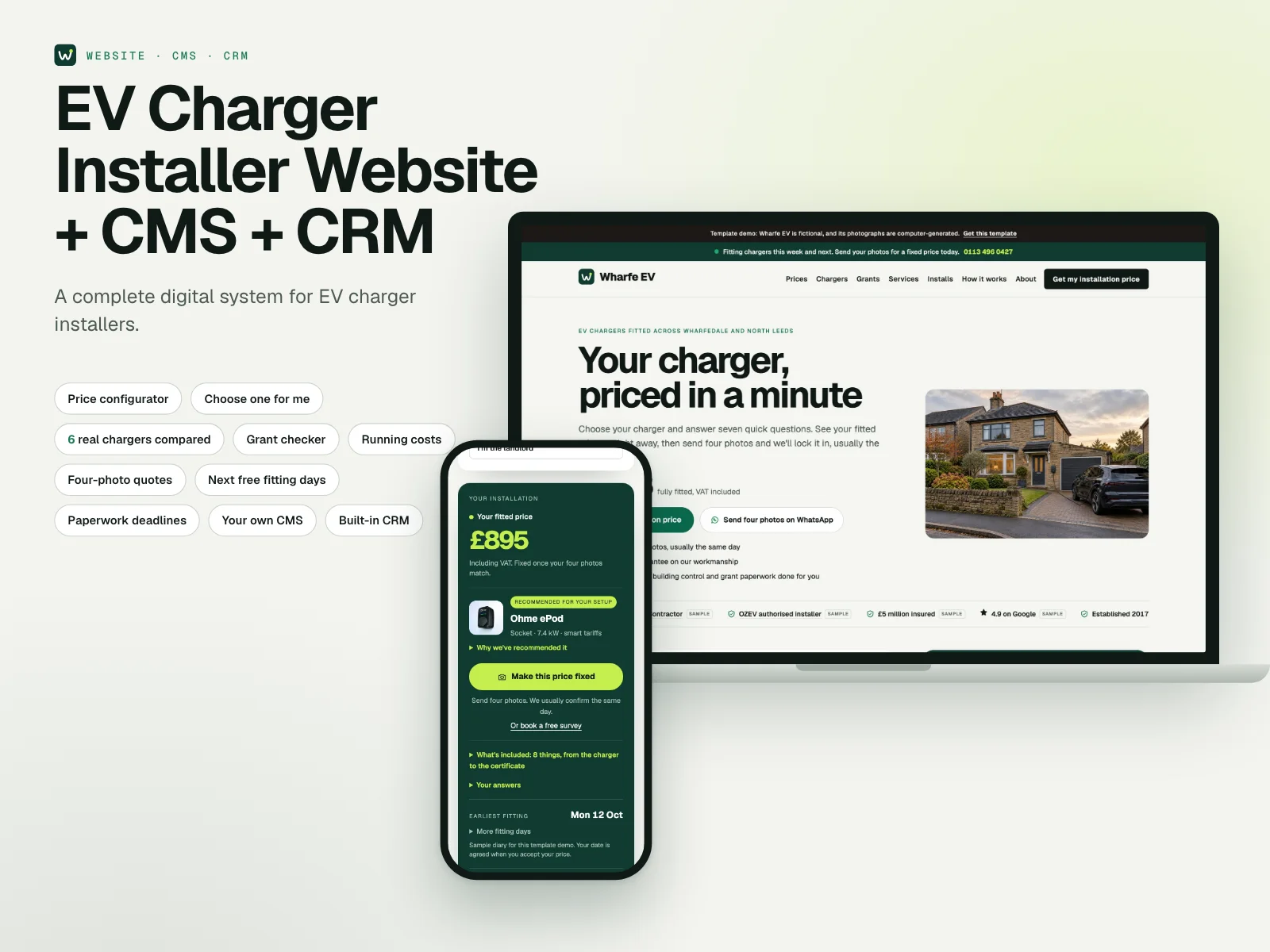 EV Charger InstallerWith price configurator, grants & CRM
- Heating Engineer: in the workshop, ask for it
- Landlord Compliance: in the workshop, ask for it
- Roof Repair: in the workshop, ask for it
- New Roofing: in the workshop, ask for it
- Flat Roofing: in the workshop, ask for it
- Extension Builder: in the workshop, ask for it
- Renovation Contractor: in the workshop, ask for it
- Loft Conversion: in the workshop, ask for it
- Garden Design: in the workshop, ask for it
- Hard Landscaping: in the workshop, ask for it
- Outdoor Living: in the workshop, ask for it
- Interior Decorator: in the workshop, ask for it
Systems in the workshop aren't finished yet: choose one to be told first, or to have yours built now.