Website · CMS · CRM
Electrician Website + CMS + CRM
A complete digital system for domestic and emergency electricians: a site that gets the phone ringing, a CMS to run it yourself, and a CRM every callback, survey and quote lands in.
One-off, installed on your own Vercel account, and nothing to pay until it's working. Or let us run it for you from £99/month.

At a glance
- Built for
- Electricians
- What you get
- A website (eleven fully designed pages), your own CMS to change it, and a CRM for every enquiry
- DIY kit
- £449 one-off, installed on your own Vercel account; you pay once it's working
- Managed
- From £99/month, built with your content and looked after; £0 upfront build fee
- Try it
- The live demo, a fictional business running the system
- Updated
More than a website
The site customers use, the CMS you run it from, the CRM every job arrives in.
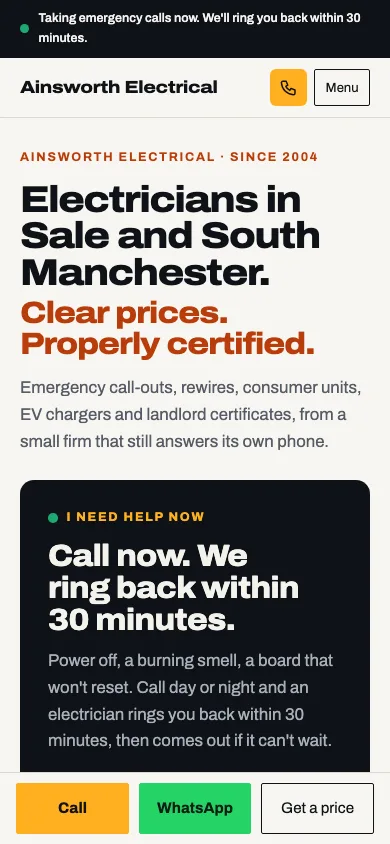
Your website
Eleven designed pages that answer the emergency and price the planned work, with a page for every service, job and town you cover.
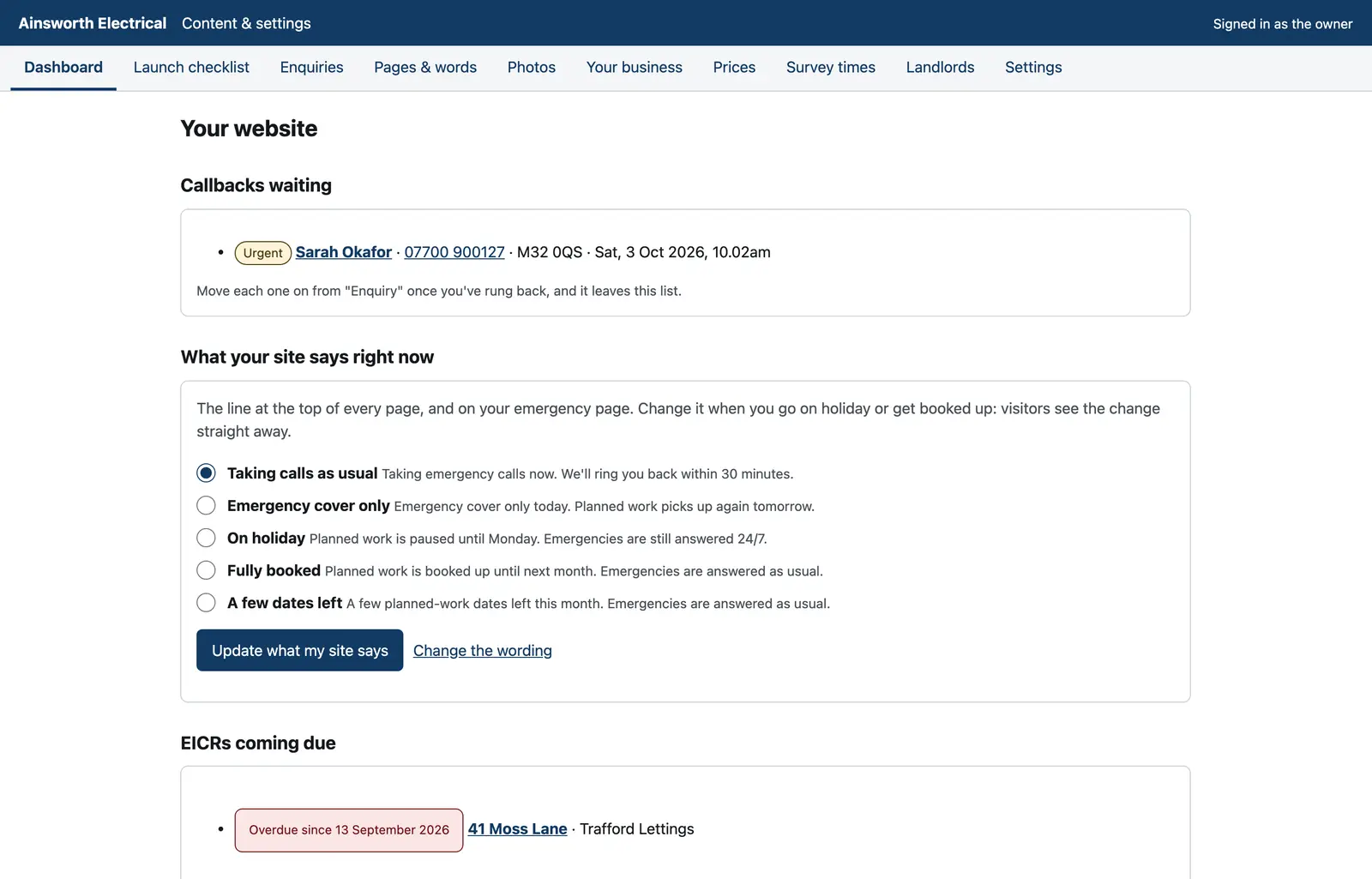
Your CMS
Every word, photo and price, your survey times and the status line your site shows, edited by you.
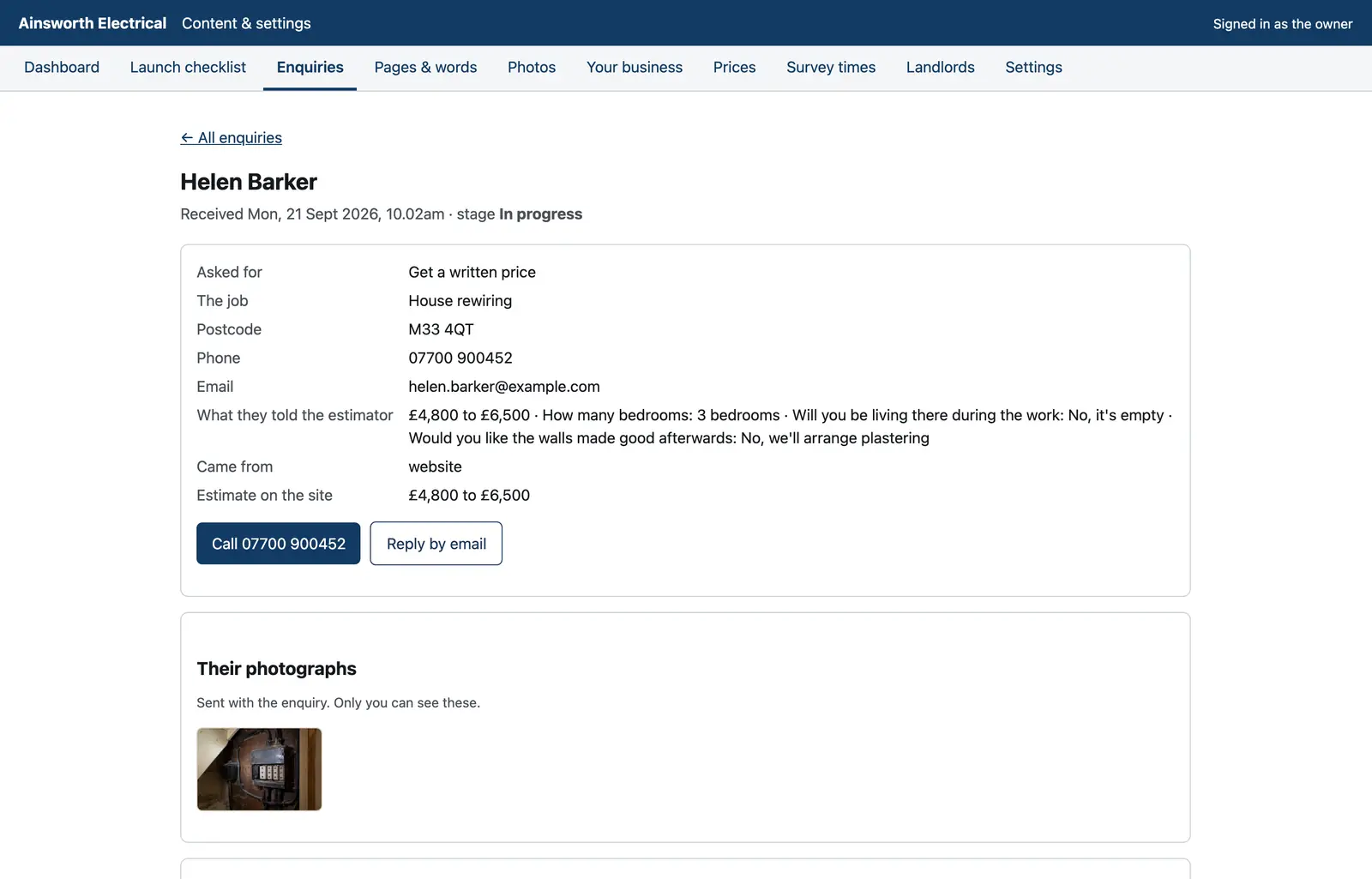
Your CRM
Every callback, survey and quote with the job, the postcode, the estimate and their photos.
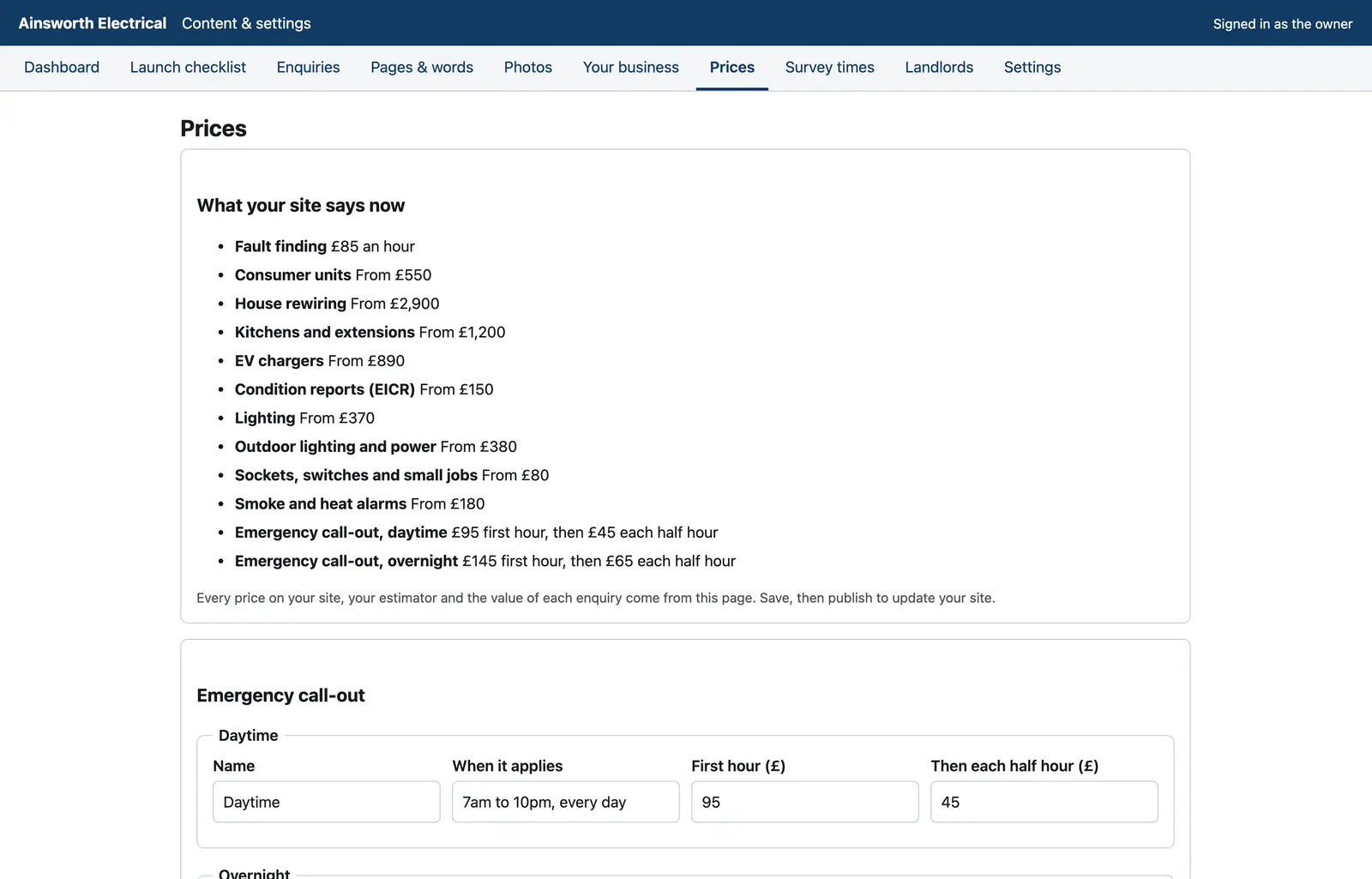
Manage your entire website
Change anything, then press Publish.
- Every word on every page, and any section switched off or back on
- Your call-out rates, your "from" prices and every figure in the estimator
- The services you offer, your registration numbers and the promises you make
- Your status line, live at once: taking calls, emergency only, on holiday, fully booked
- Your reviews, registrations and insurance, each shown only once you've added your own
- The towns you cover and how quickly you reach each one, with a page per town
- Earlier versions kept, so nothing is ever lost
Built-in CRM
Every job arrives ready to price.
- Urgent callbacks at the top, with the number to ring and the postcode
- The job, the address and the estimate your site gave, worked out again from your own prices
- Photos of their fuse board, private to you, never on your website
- Stages in a trade's own words, a history per customer, and one tap to call
- Landlords and agents: every property, its last report and what's due, and a reminder three months ahead
From a search to a signed price
One connected journey: nothing asked twice.
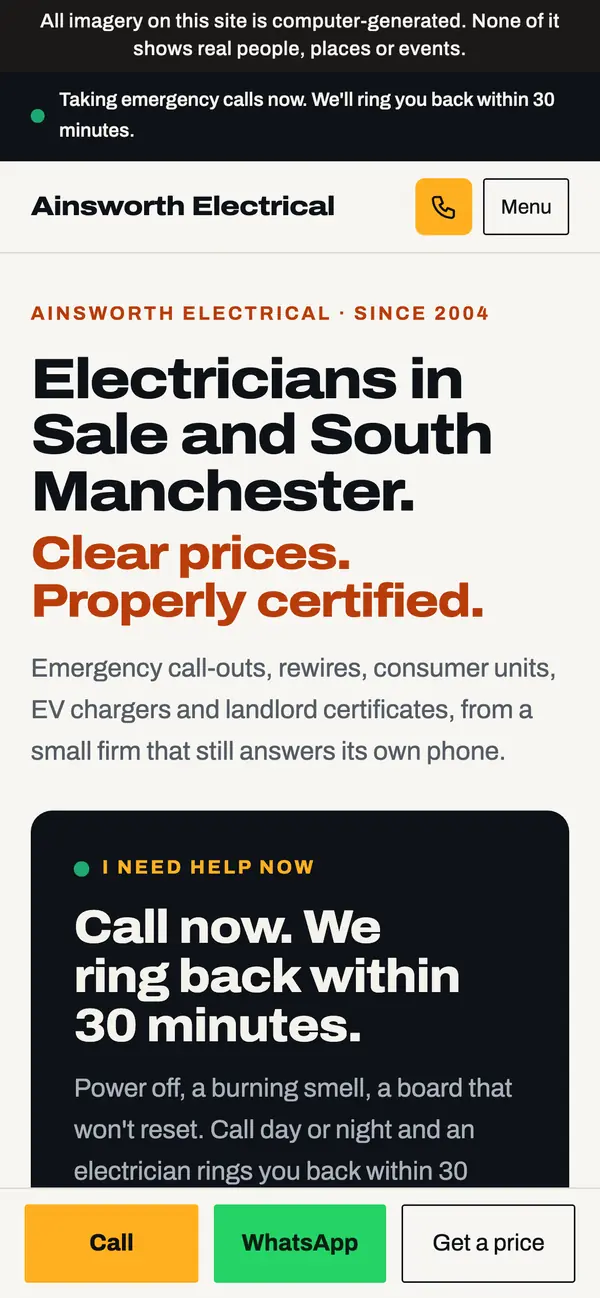
1Finds your site
Emergency or planned work, answered on the first screen, with your number and WhatsApp one tap away.
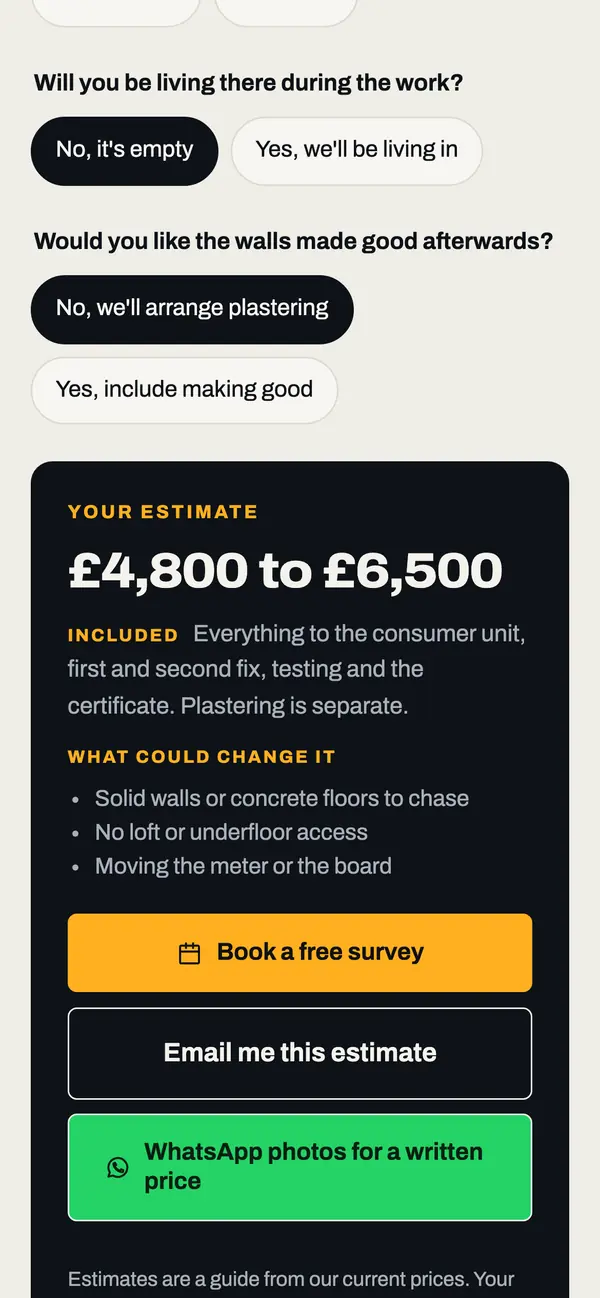
2Prices the job
A range in a minute from your own price list, from a few questions about the property.
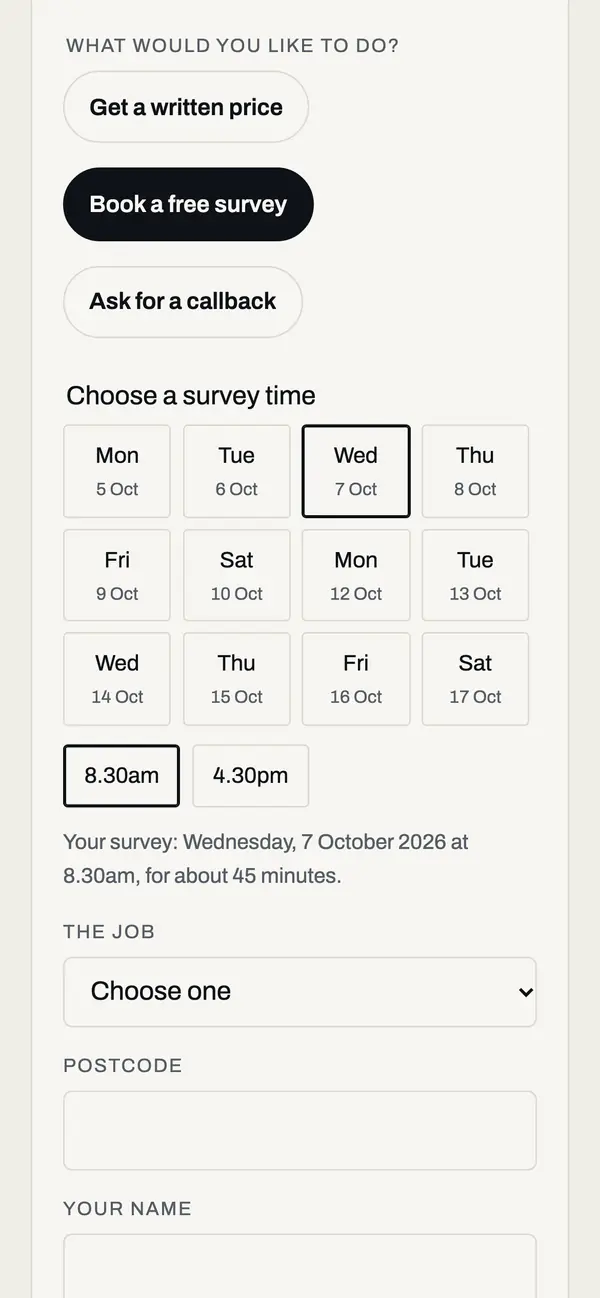
3Books a free survey
One of your published times, carried into the booking with their estimate, and confirmed by email with a calendar file.
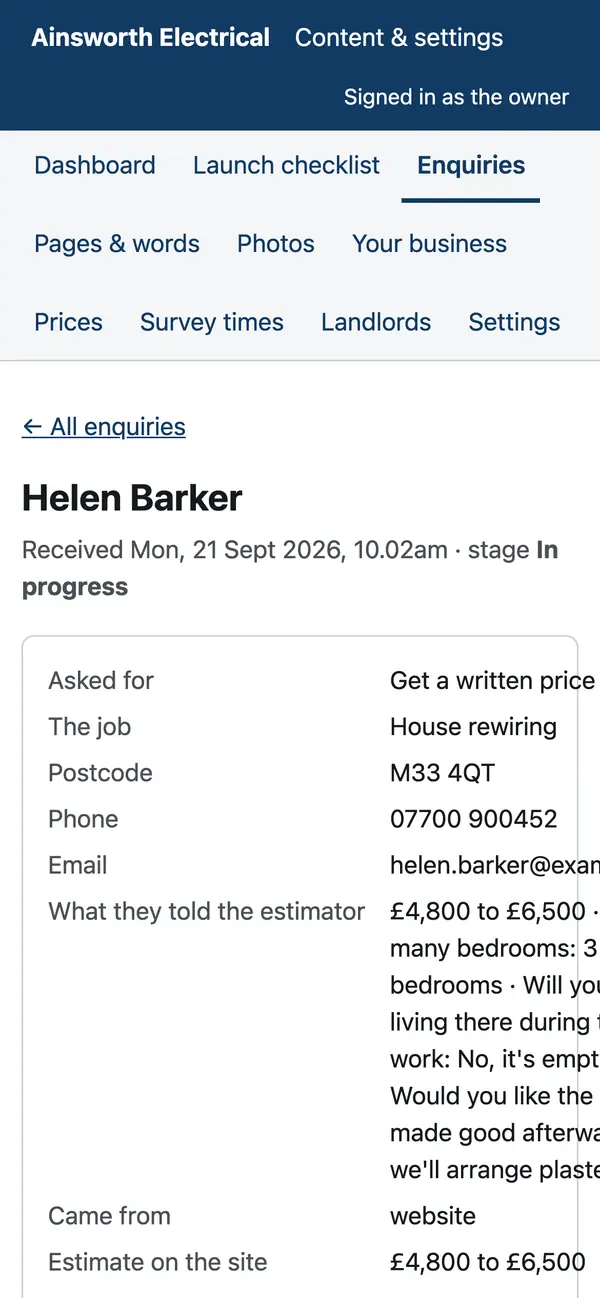
4Lands in your CRM
With the job, postcode, estimate, message and photos already filled in.
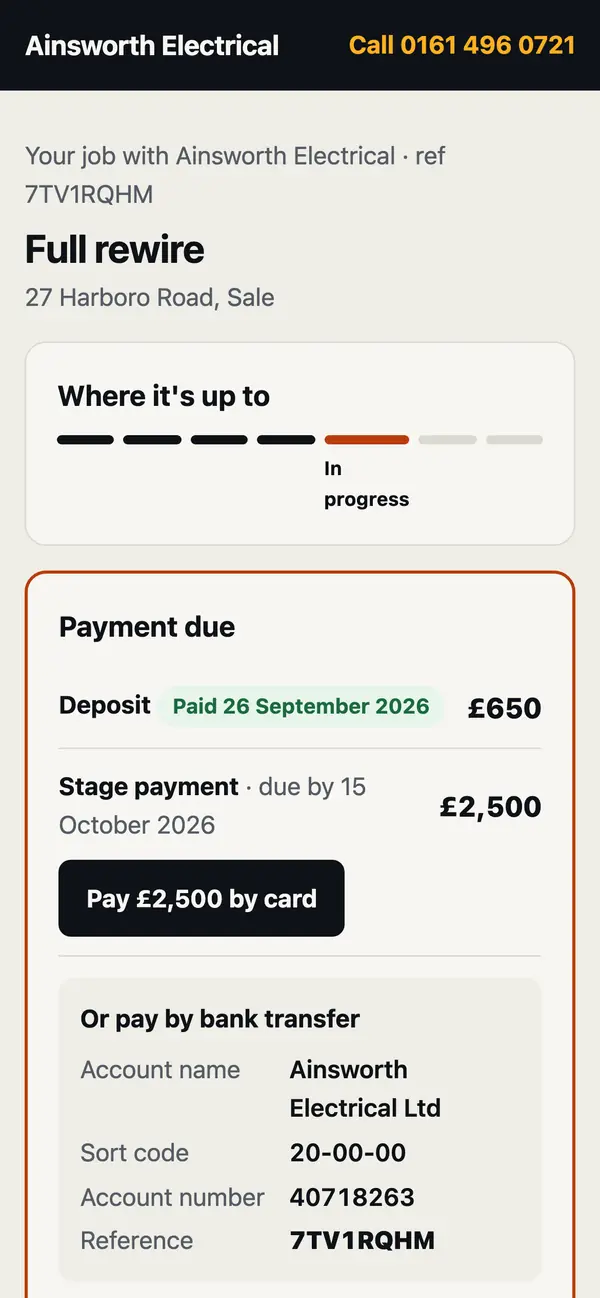
5Follows the job
Their own page: where it's up to, what to pay and how, the next visit, and their certificate.
Emergencies
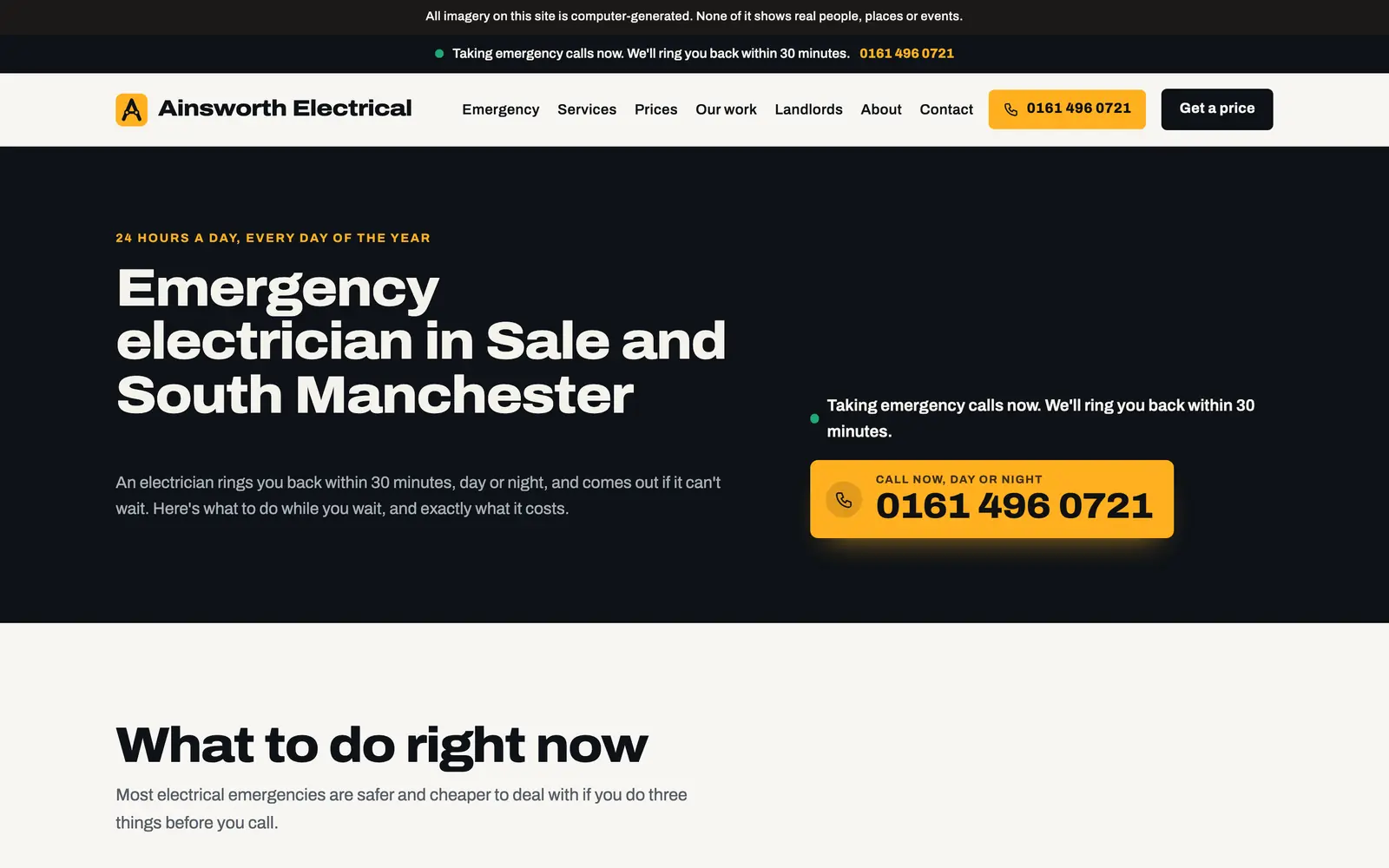
A 30-minute callback, and the number first
Your emergency page opens on your number and what to do right now. Customers can ask for a callback; it arrives marked urgent, top of your dashboard and by email.
Prices
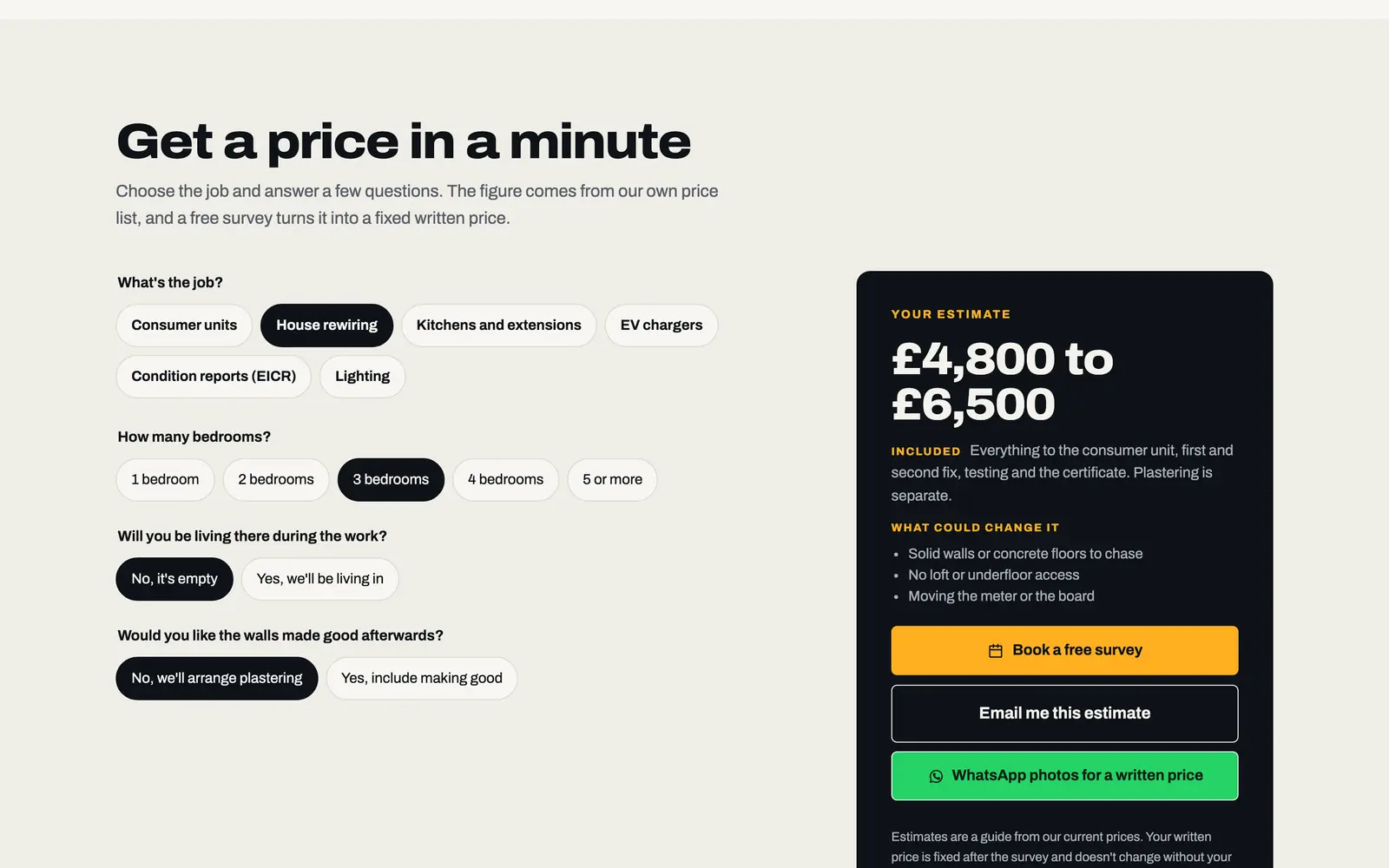
An estimate in a minute
Customers choose the job and answer a few questions: bedrooms, where the board is, whether they're living in. Your site gives a range from your price list, says what's included and what could change it, then lets them book a survey, have it emailed, or WhatsApp you photos.
Your status
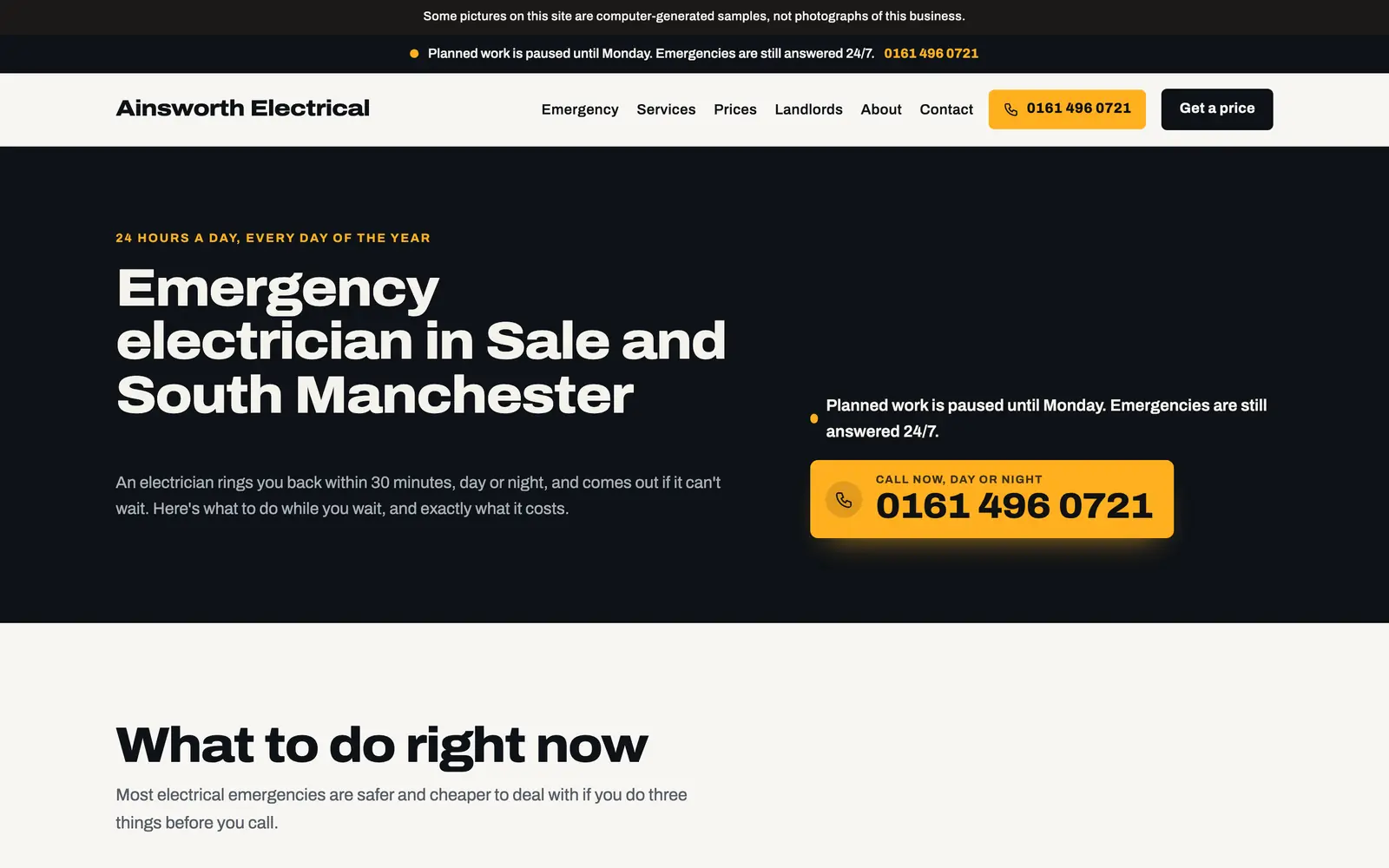
One line that's always true
Taking calls, emergency cover only, on holiday, fully booked: choose it in your CMS and every page says it at once.
Customer job pages
A page for every job, signed off online
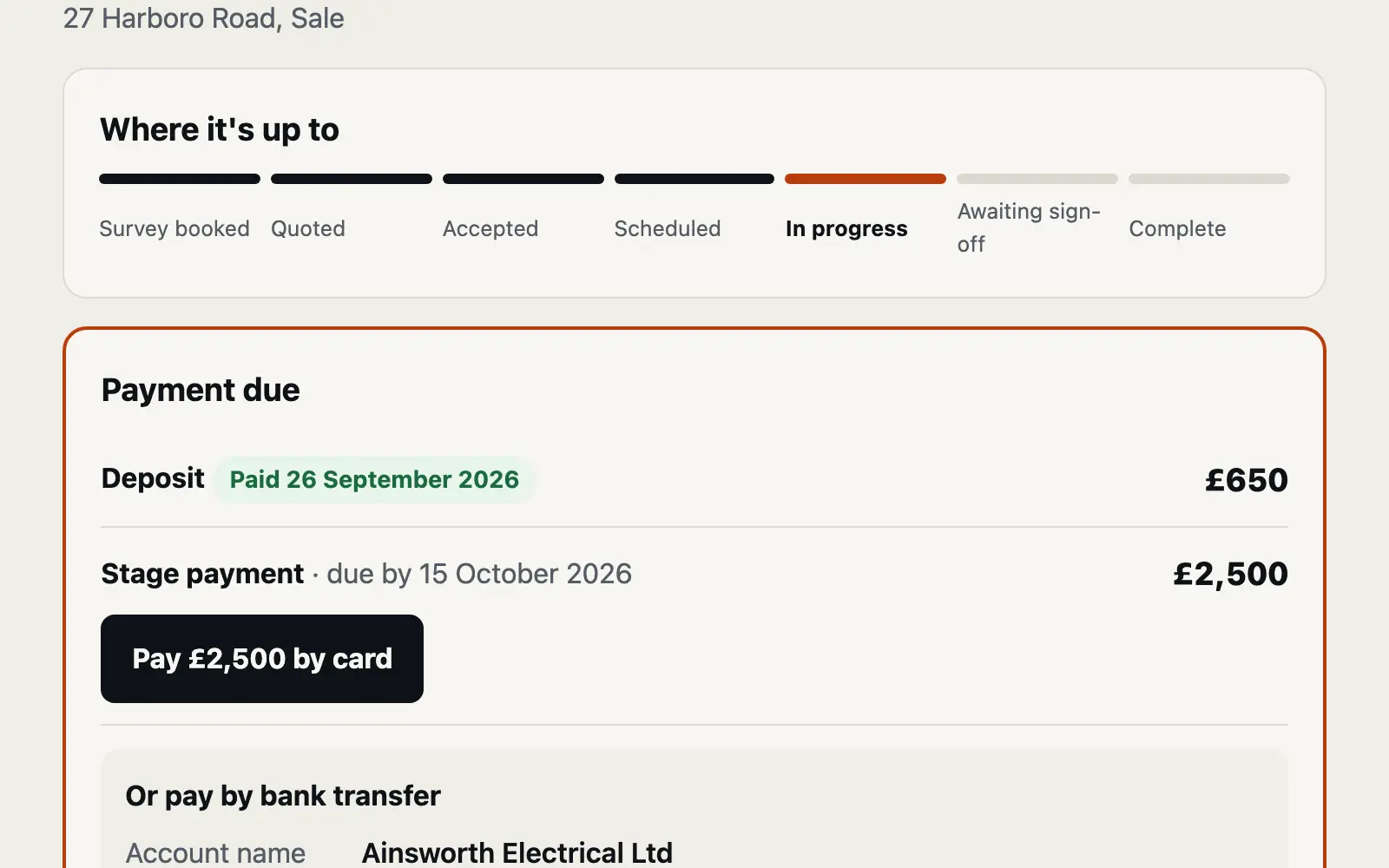
Each customer gets a private link: where their job is up to, a deposit or invoice to pay by your own card link or bank transfer, the next visit and who's coming, your written price to accept, extra work to agree, photos of the work, messages both ways, then their certificates, guarantee and a review link.
Landlords
EICRs by bedroom count, and a page for every agent
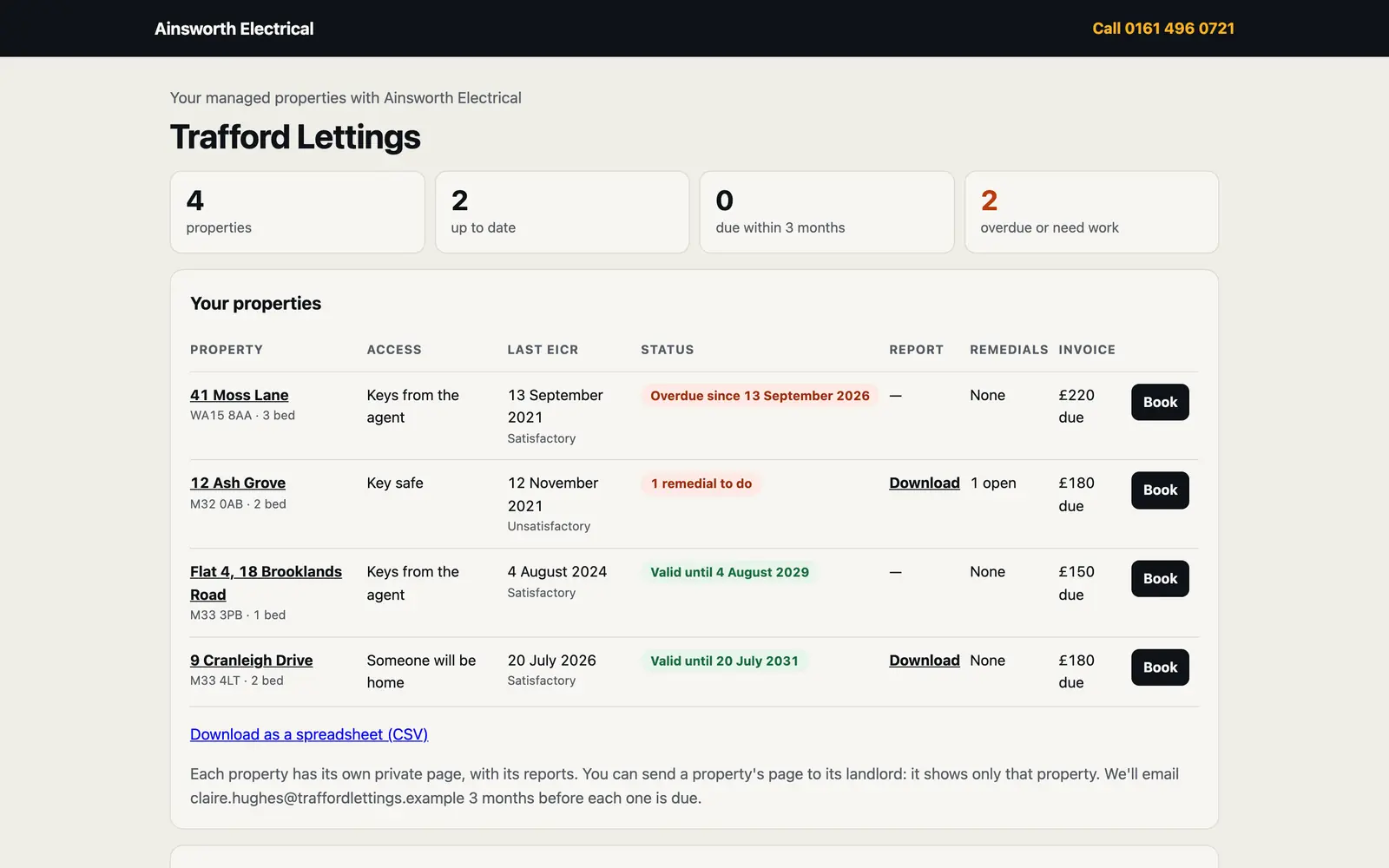
Fixed EICR prices on your site. In your CRM, each landlord or agent has their properties, reports, remedial work and invoices, on a private page of their own with a page per property. They're emailed three months before each report is due.
Your work
Real jobs, before, during and after
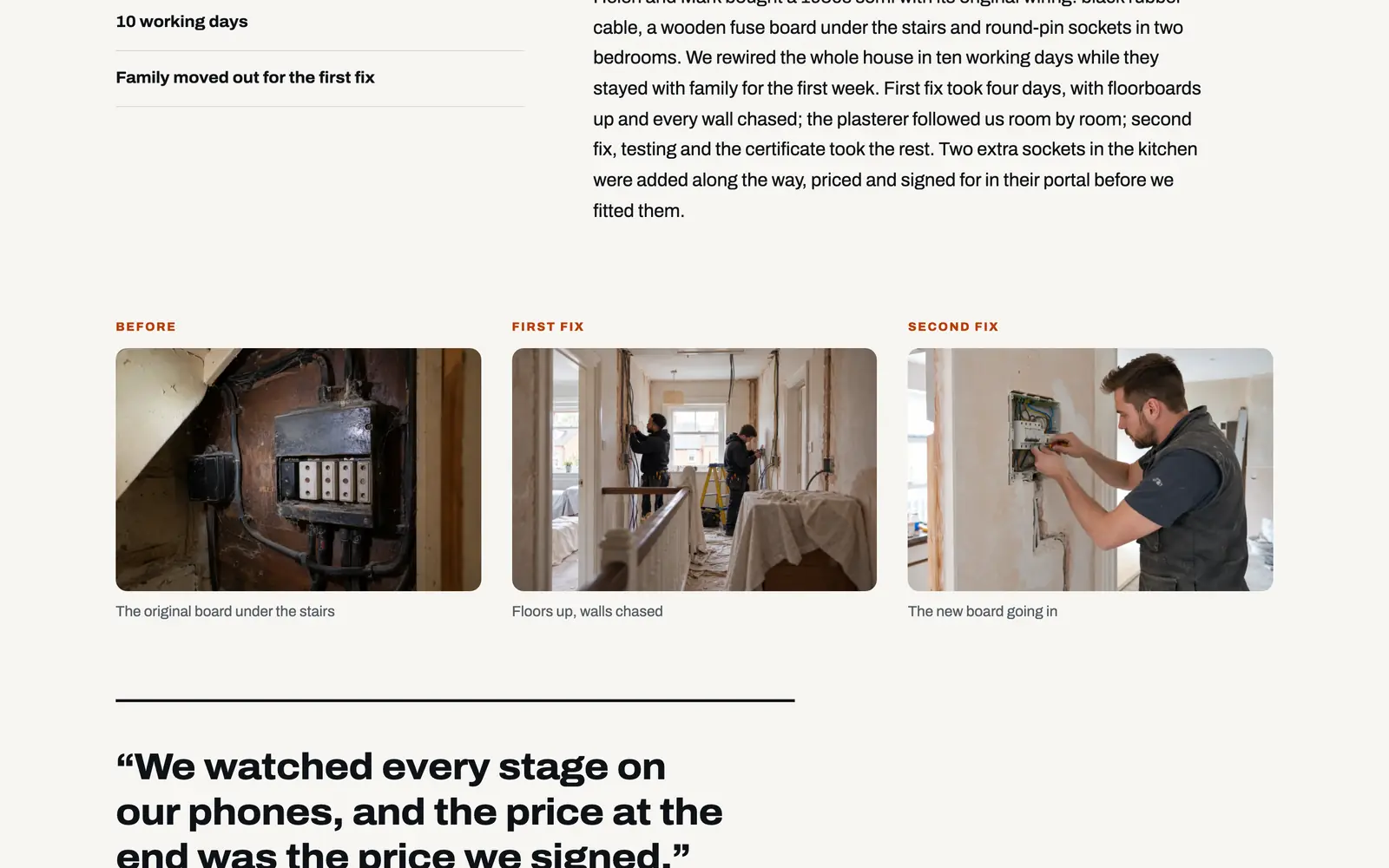
A library of your jobs, each told as a feature on its own page: the facts, the story, the photos in order under each stage and what the customer said, added and edited by you.
Local pages
A page for every town you cover
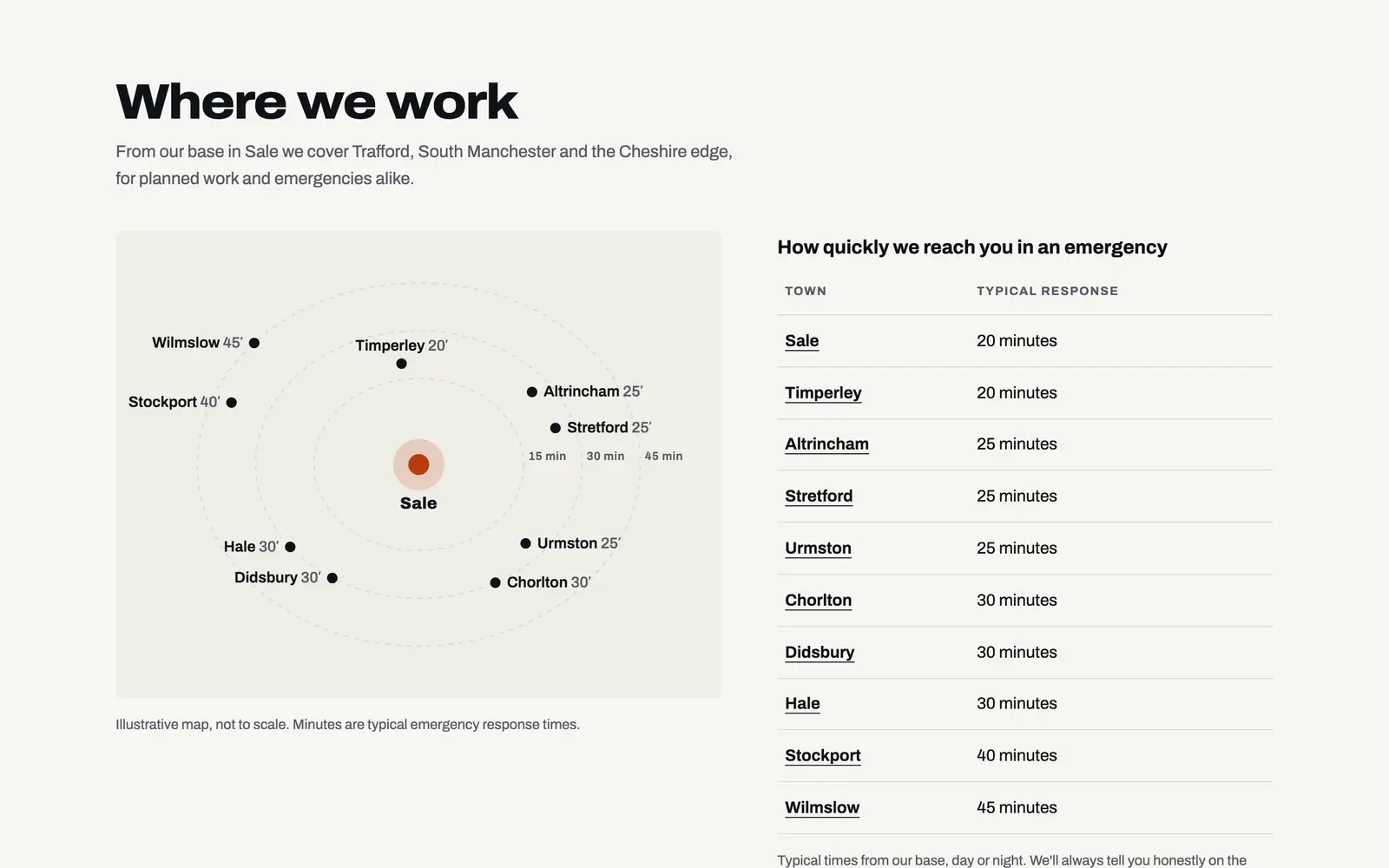
Customers type their postcode and see whether you cover them and how quickly you'd reach them. Each town you work in gets its own page, written by you.
Launch
Nothing made up ever goes live
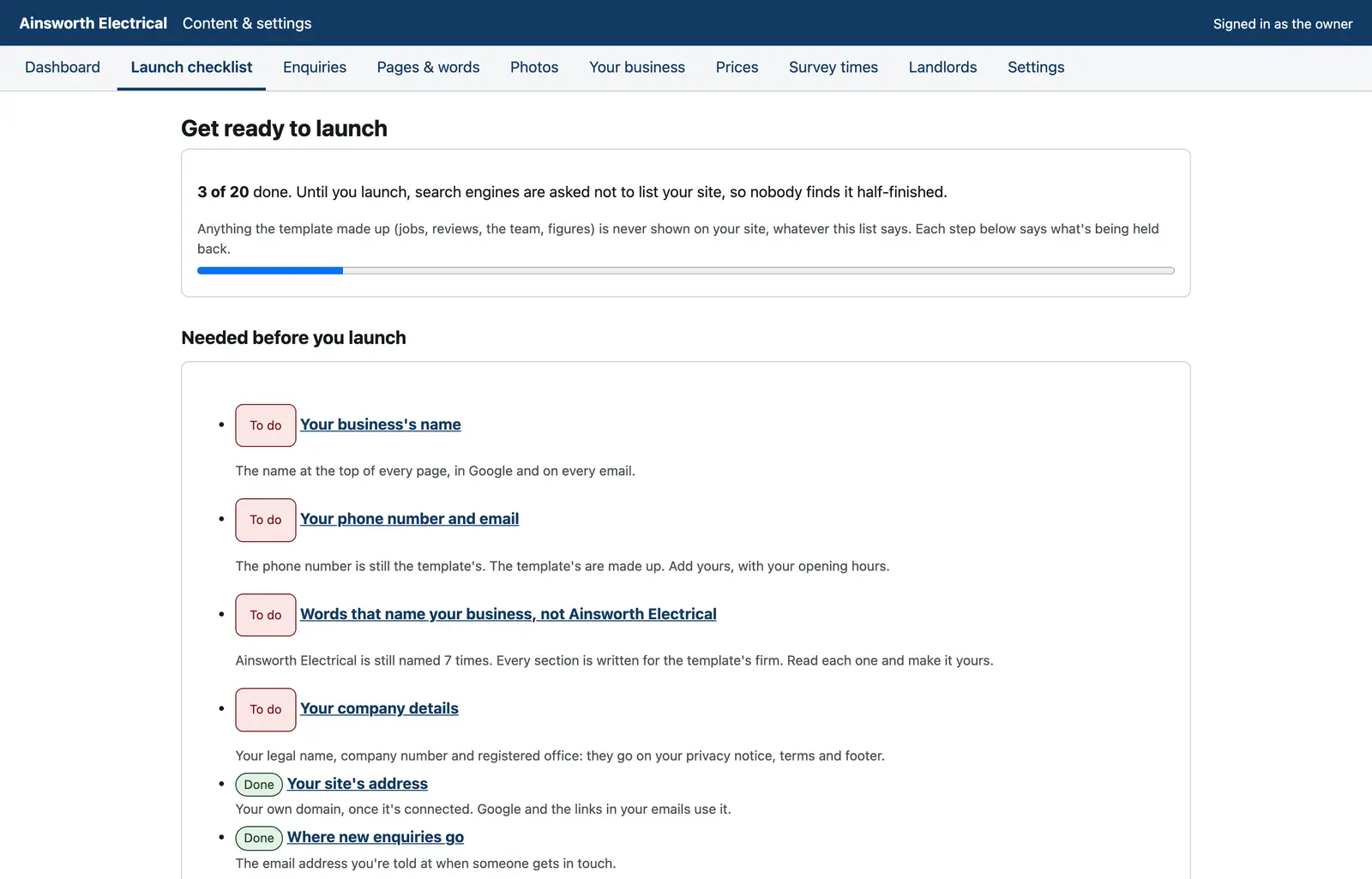
The template's sample jobs, reviews and team are never shown on your site. A launch checklist shows what's left, and search engines are asked not to list your site until you press Launch.
Eleven fully designed pages
Organised around the two reasons people call an electrician.
Home
Emergency or planned: two clear answers, your services, your process and your reviews.
Emergency
Your number first, what to do right now, call-out rates and a callback request.
Services
Every service you offer, each with its own page: what's included, how long, and the price.
Prices
The estimator, your price list and a quote form that already knows the job.
Our work
Your jobs, each with its own page of photos and the customer's words.
Landlords
Condition reports priced by bedroom count, and what the codes mean.
About
Who comes to the house, your registrations with numbers to check, and your promises.
Areas
Do you cover them? A postcode checker, your response times, and a page for every town.
Contact
A written price, a free survey at a time they choose, or a callback.
Privacy and terms
Written from what your site actually does, for you to read and confirm before you launch.
Two ways to have it
Run it yourself, or let us run it for you.
The DIY kit
£449 one-off
The whole system, installed on your own Vercel account with your domain connected. Then it's yours to fill and run.
- The complete website: eleven designed pages plus a page for every service, job and town
- Your own CMS: every word, photo, price and estimator figure, your survey times and status
- Your own CRM: every callback, survey and quote, with its estimate, photos and history
- A private job page for each customer, with price acceptance, payments, messages and their documents
- A private page for each landlord or agent, with every property and a reminder before each report is due
- Installed on your own Vercel account, with your domain connected
- A licence for one business, with no monthly fee from us
What we do: install it and connect your domain. What you do: your words, photos, prices, services and registration numbers.
Order the DIY kitNo payment today. You pay once it's installed and working.
Managed
From £99 /month
We build it with your content, host it and look after it. You still get the CMS and CRM, and every improvement we make.
- Built with your words, photographs and prices
- Hosting, security and updates looked after
- £0 upfront build fee on an initial 12-month term, or pay yearly and save 20%
- See it before you pay a penny
How the DIY kit works
Five steps, and you only pay at the fourth.
Order the kit
Tell us about your business. No payment today.
Create your Vercel account
We send you a short guide; it takes a few minutes.
We install it
On your account, with your domain connected. You get your CMS login.
Check it, then pay
Log in, click round, see it working. Then you pay £449.
Make it yours
Add your words, photos, prices and registrations, and press Publish.
Questions
Straight answers.
What exactly do I get for £449?
The whole system on your own Vercel account: the eleven-page website with a page for every service, job and town, your own CMS for every word, photo, price and estimator figure, your own CRM for callbacks, surveys and quotes, and a private job page for each customer. We install it and connect your domain; you add your content.
When do I pay?
After it's installed and you've logged in and seen it working. Ordering is free, and there's nothing to pay until then.
Do I need to be technical?
No. You'll create a Vercel account (we'll show you how) and have your domain to hand. Everything after that is done in your CMS: typing, uploading photos and pressing Publish.
How does the estimator work out a price?
From your own figures in the CMS: a starting range for each job, and what each answer adds, such as a bedroom or a board in the garage. Your price list's 'from' prices are the estimator's own opening figures, so the two never disagree. It's always shown as an estimate, and any answer you mark as needing a survey says so.
Where do callbacks and quotes go?
Into your CRM, with the job, the postcode, the estimate your site gave and any photos they sent. Urgent callbacks go to the top of your dashboard and arrive by email marked URGENT.
Do customers need an account for their job page?
No. Each gets a private link from you. They can see the next visit, accept your written price in their own name, agree any extra work and download their certificates. Every acceptance is recorded in your CRM.
Will my site go live with your sample jobs and reviews?
No. Anything the template made up, its jobs, reviews, team and figures, is never shown on your site. A launch checklist in your CMS shows what's left to add, and search engines are asked not to list your site until you press Launch.
Can landlords and letting agents see their properties?
Yes. Each landlord or agent gets a private page listing their properties, the last report and when the next is due, with reports to download and a button to book. Each property has its own page to pass to its landlord, and they're emailed three months before a report is due.
Does it have to look like Ainsworth Electrical?
No. Ainsworth Electrical is a fictional firm with computer-generated photographs, made to demonstrate the system. Your site uses your words, photos, prices and registrations, and any section you don't need can be switched off.
Can you do it all for me instead?
Yes. The managed plan starts at £99 a month: we build it with your content, host it and look after it, and you still get the CMS and CRM.
Order
Order your electrician kit.
Tell us your business name and where you work. We'll reply with your Vercel set-up guide and an install date. Nothing to pay until it's installed and working.
Prefer us to do it all? Choose “Managed” in the form. Or look round the live demo first.
More website systems
Also for trades & home services
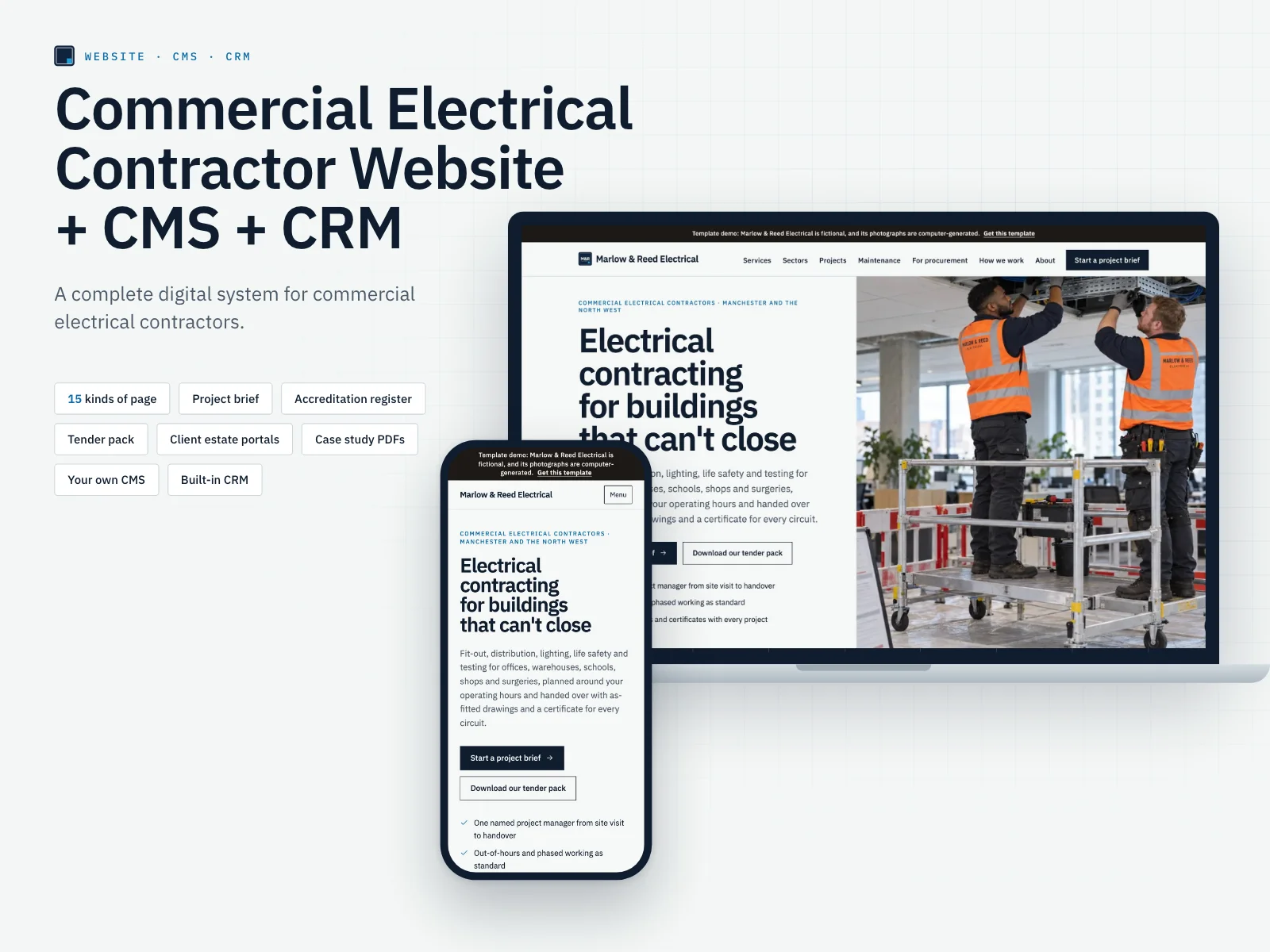 Commercial Electrical ContractorWith project brief & accreditations
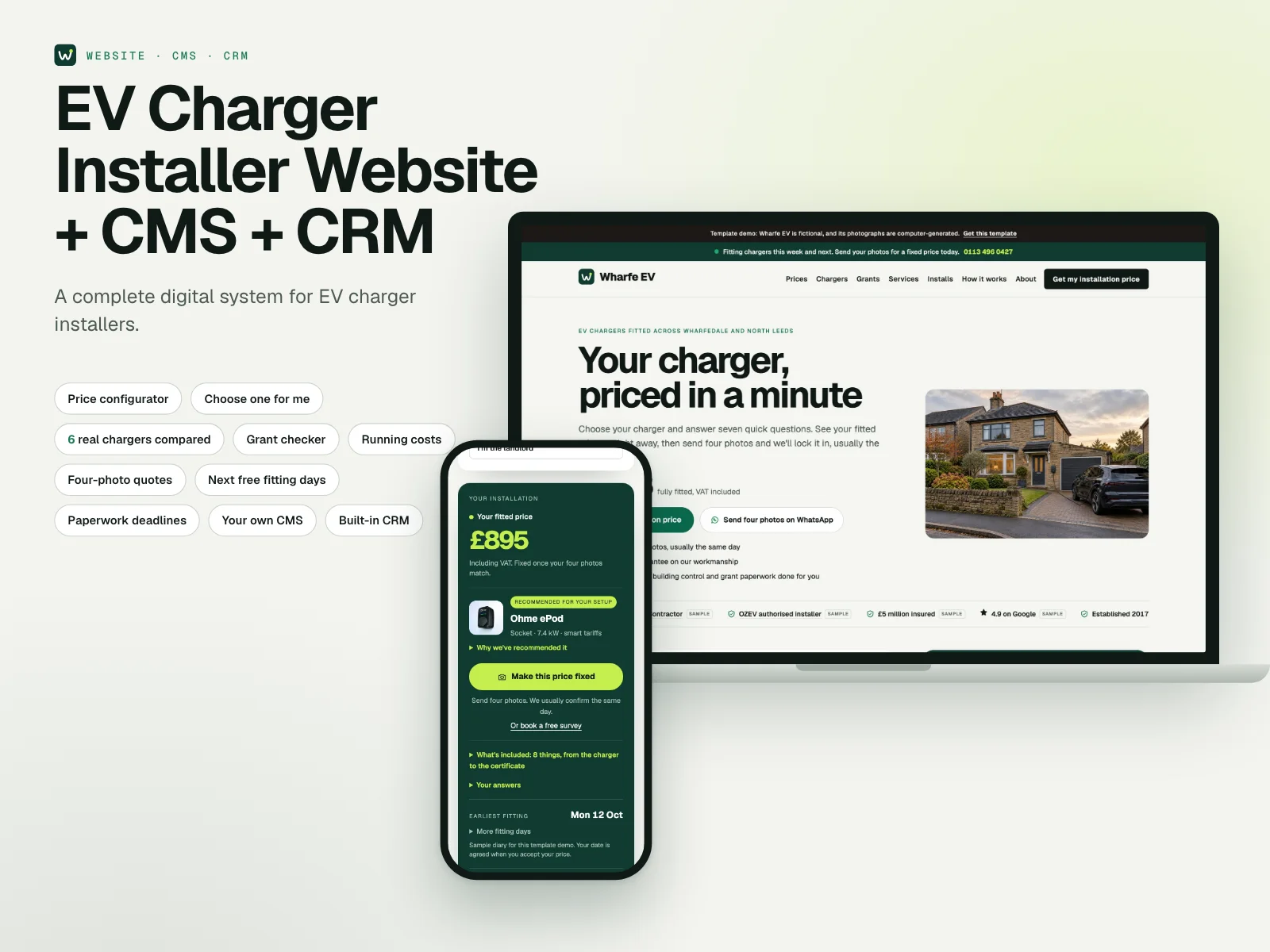 EV Charger InstallerWith price configurator, grants & CRM
- Emergency Plumber: in the workshop, ask for it
- Heating Engineer: in the workshop, ask for it
- Landlord Compliance: in the workshop, ask for it
- Roof Repair: in the workshop, ask for it
- New Roofing: in the workshop, ask for it
- Flat Roofing: in the workshop, ask for it
- Extension Builder: in the workshop, ask for it
- Renovation Contractor: in the workshop, ask for it
- Loft Conversion: in the workshop, ask for it
- Garden Design: in the workshop, ask for it
- Hard Landscaping: in the workshop, ask for it
- Outdoor Living: in the workshop, ask for it
Systems in the workshop aren't finished yet: choose one to be told first, or to have yours built now.